
GRLife Pro v1.20: films move into Image Control
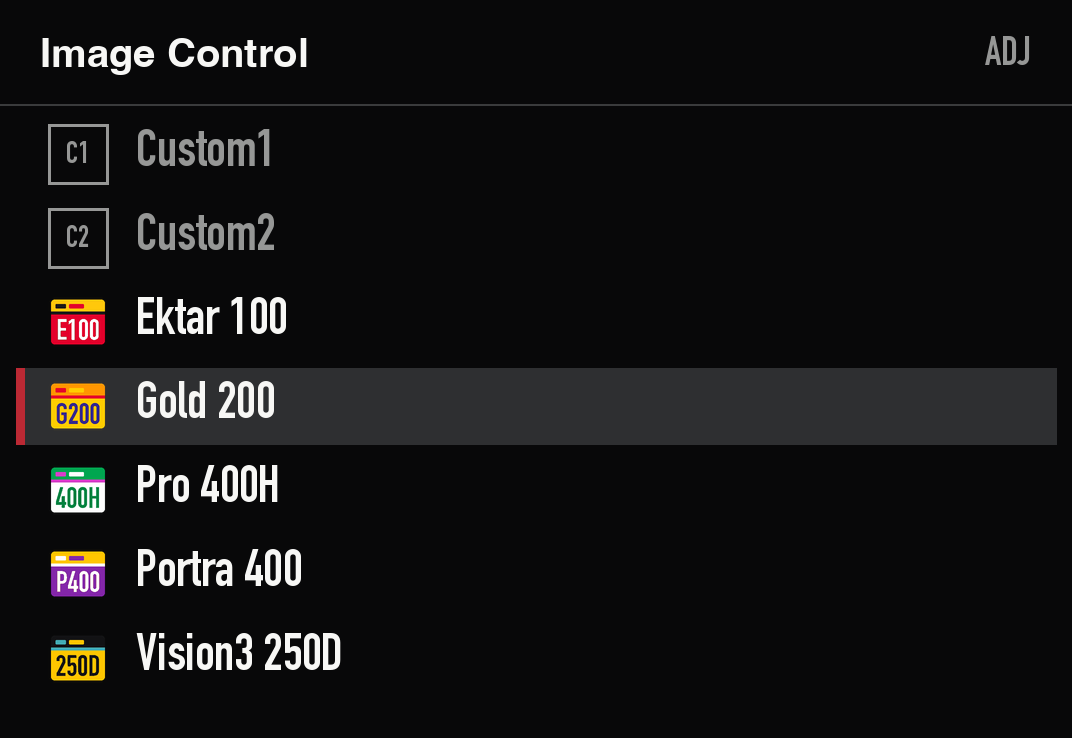
GRLife Pro is now v1.20, and this one is a bigger change: films used to take over five factory effects such as Vivid and Retro. Now they have five slots of their own in Image Control, right after Custom2, and the factory effects work as Ricoh made them again.
What’s new
- Films in Image Control: pick them in MENU or ADJ, shown with the film’s name and icon; live view and playback show the film’s icon too.
- Each slot has its own settings: nine settings per slot (saturation, hue, contrast and more), kept when the camera is off.
- Works with recipes: recipes can go in every slot, including Cross Processing, which the films used to take.
- Empty slots start with Ektar 100, Gold 200, Pro 400H, Portra 400 and Vision3 250D.
- CS films add an orange-red glow around bright lights.
- The Info page shows the version; fixed the slot falling back to Standard after turning the mode dial, and shutter speed, aperture and ISO sometimes missing at start-up.
The camera keeps its own film library
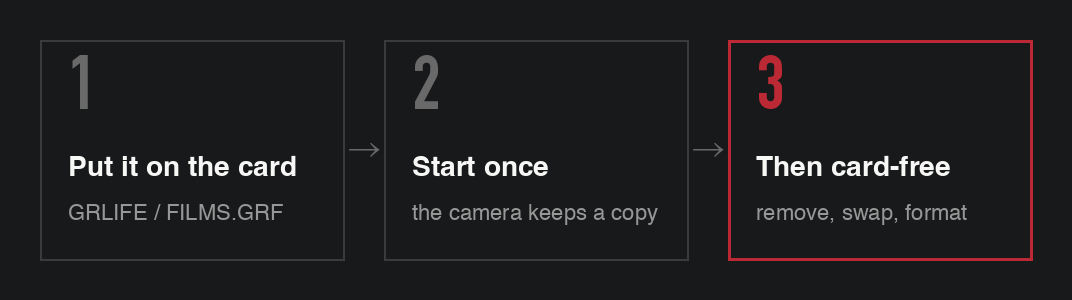
Start the camera once with the card in and it stores a copy of the card’s film library inside. After that your films stay when you remove, swap or format the card, and resetting the settings or formatting the camera’s own storage does not remove it. When you download a new film library, put it on the card and start the camera once: the camera’s copy is replaced automatically.
How to upgrade
- Generate a new firmware in the firmware store and install it as before.
- Start the camera with the card in and wait a few seconds after live view appears.
- Open MENU → GRLife Pro → Info: when the second line reads v1.20 and the fourth starts with IN, you are done. The films you had loaded are kept and appear in the five new slots.
Good to know
- For about two seconds after start-up the films are not ready yet; a shot from a film slot in that time may come out as Standard.
- Film photos taken before the upgrade show the factory effect’s icon in playback; the photos themselves are unchanged.
- The effect list of in-camera RAW development does not include the film slots yet.
- Confirmed on a GR IIIx (1.60); the GR III (2.10) can be generated but has not been tested on a camera yet.
- Installing unofficial firmware carries risk: back up the camera and keep the stock firmware so you can go back.
This post was first sent by email to GRLife users. To get the next one, sign in and turn on email notifications in Account settings.