
GRLife Pro v1.37: the date stamp becomes Imprint, with a caption beside the date
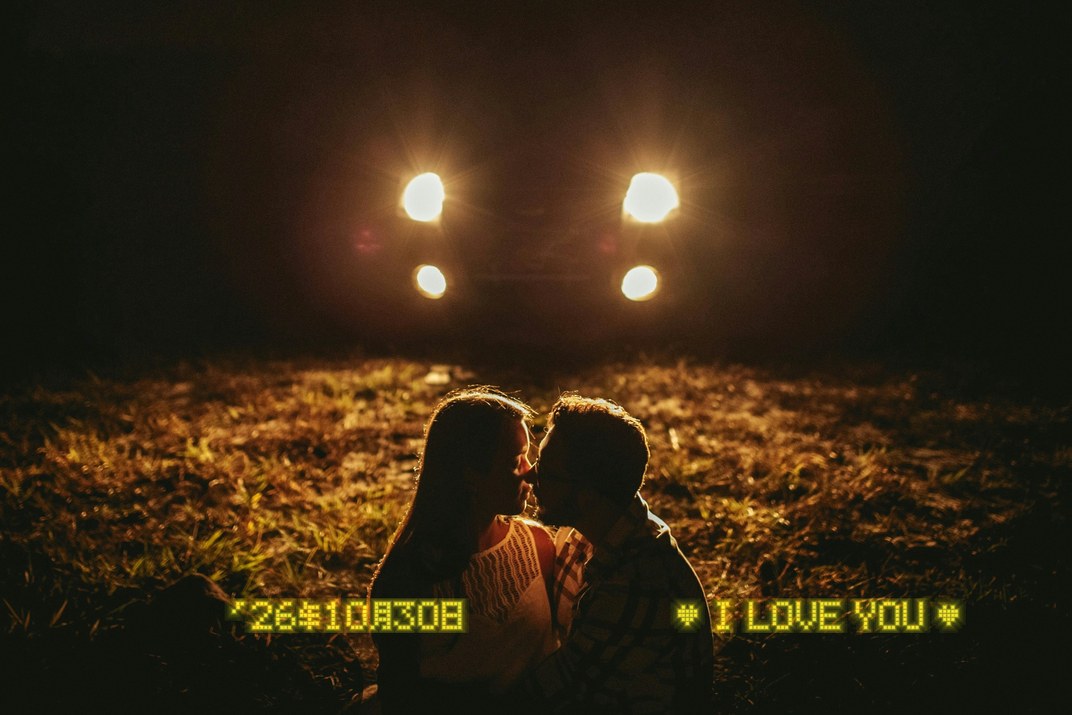
Remember the 90s film cameras that printed “♥ I LOVE YOU ♥” on your photos? GRLife Pro v1.37 turns the date stamp into Imprint, after the Canon Autoboy Luna: a caption can go to the left of the date, the type can be seven-segment or a 5×7 dot matrix, and the imprint has a soft glow that lights up in the dark and turns white on bright areas.
What’s new
- In MENU → GRLife Pro, Date stamp is now Imprint, with two levels: OK on a row lists its choices, MENU goes back without a change.
- Caption: a line to the left of the date. 12 presets (sets E and J, six each, after the LUNA), such as ♥ I LOVE YOU ♥, THANK YOU !, HAPPY BIRTHDAY, ♥ お・め・で・と・う ♥ and GRLIFE IS THE BEST!, or three of your own, typed on the camera’s English keyboard, up to 24 characters; <3 prints a ♥.
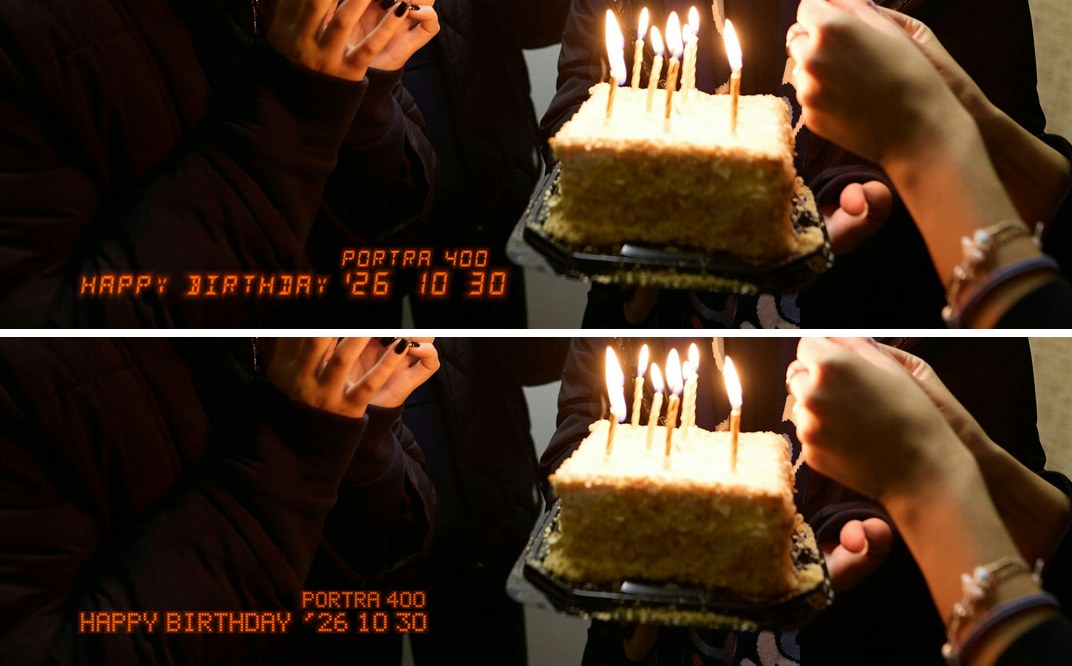
- Type: seven-segment or 5×7 dot matrix for the date, caption and film name together; a caption with ♥ or kana uses dots on its line.
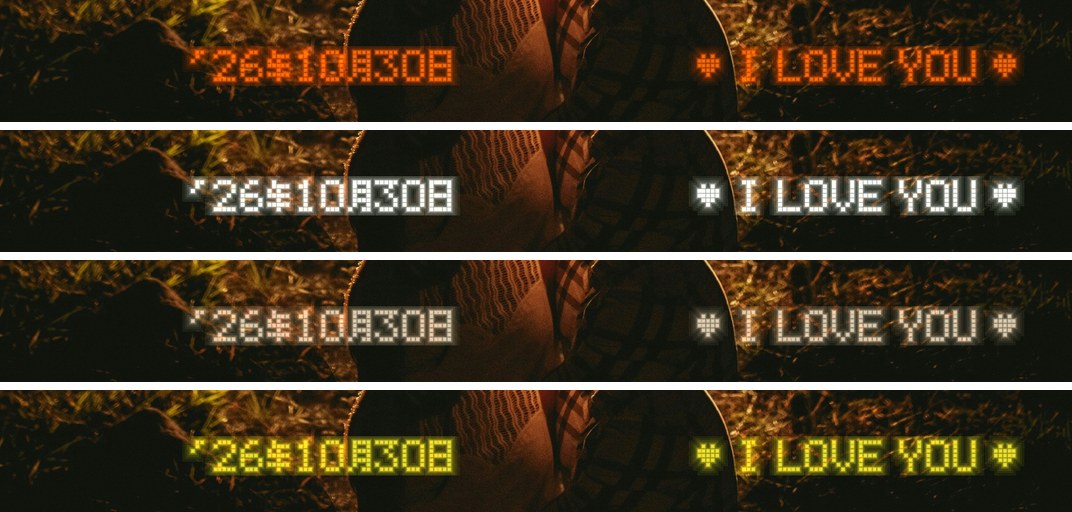
- Colour: orange, white, sepia, and new LED yellow.
- Glow: the imprint has a soft glow (on by default); off prints the strokes alone.
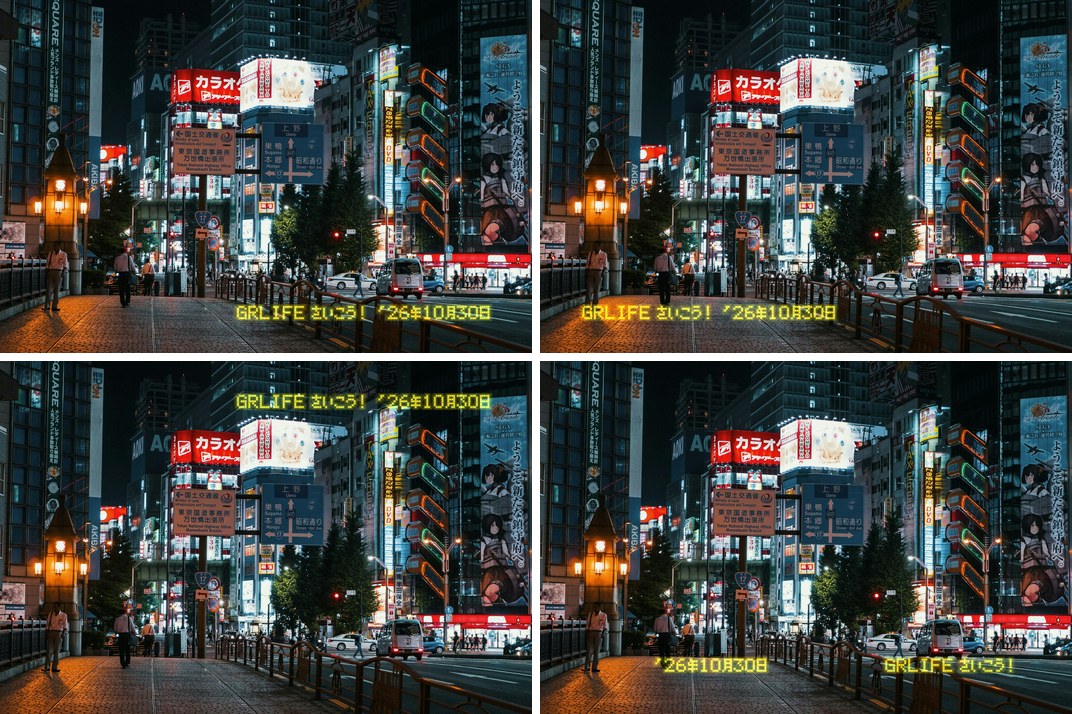
- Position: bottom right, bottom left, top right, and new bottom split: the date on the left, the caption on the right. Sizes stay small, medium, medium-large and large.
- New date format 'YY年M月D日; with Film name on, the name is printed above the date (the film’s name on a film bay position, the stock English name for other Image Controls).
Two types
Above seven-segment (fourteen segments for letters), below the 5×7 dot matrix; orange, bottom left, film name on.
Four colours
From top to bottom: orange, white, sepia, LED yellow.
Four positions
From top left: bottom right, bottom left, top right, bottom split. The caption is GRLIFE さいこう!.
Also fixed
Pressing the shutter soon after switching on could freeze the camera with a garbled screen until the battery was taken out (present since v1.33). The film bay settings are now read back by the menu task only, and the shooting path uses less memory.
How to upgrade
- Generate a new firmware in the firmware store and install it as before.
- Open MENU → GRLife Pro → Info: when the second line reads v1.37 you are on the new version.
- Open GRLife Pro → Imprint, press OK on a row and pick a caption, type, colour and position.
Good to know
- The caption starts off: pick one under Imprint and it prints; date, colour, position and the rest can be changed any time.
- Supports GR IIIx 1.60 / 1.70 and GR III 2.10 / 2.20; confirmed on a GR IIIx with 1.70.
- Installing unofficial firmware carries risk: keep the stock firmware so you can go back.
This post was first sent by email to GRLife users. To get the next one, sign in and turn on email notifications in Account settings.