
GRLife Pro v1.41: the Edge light leak becomes Glow, with 20 light patterns
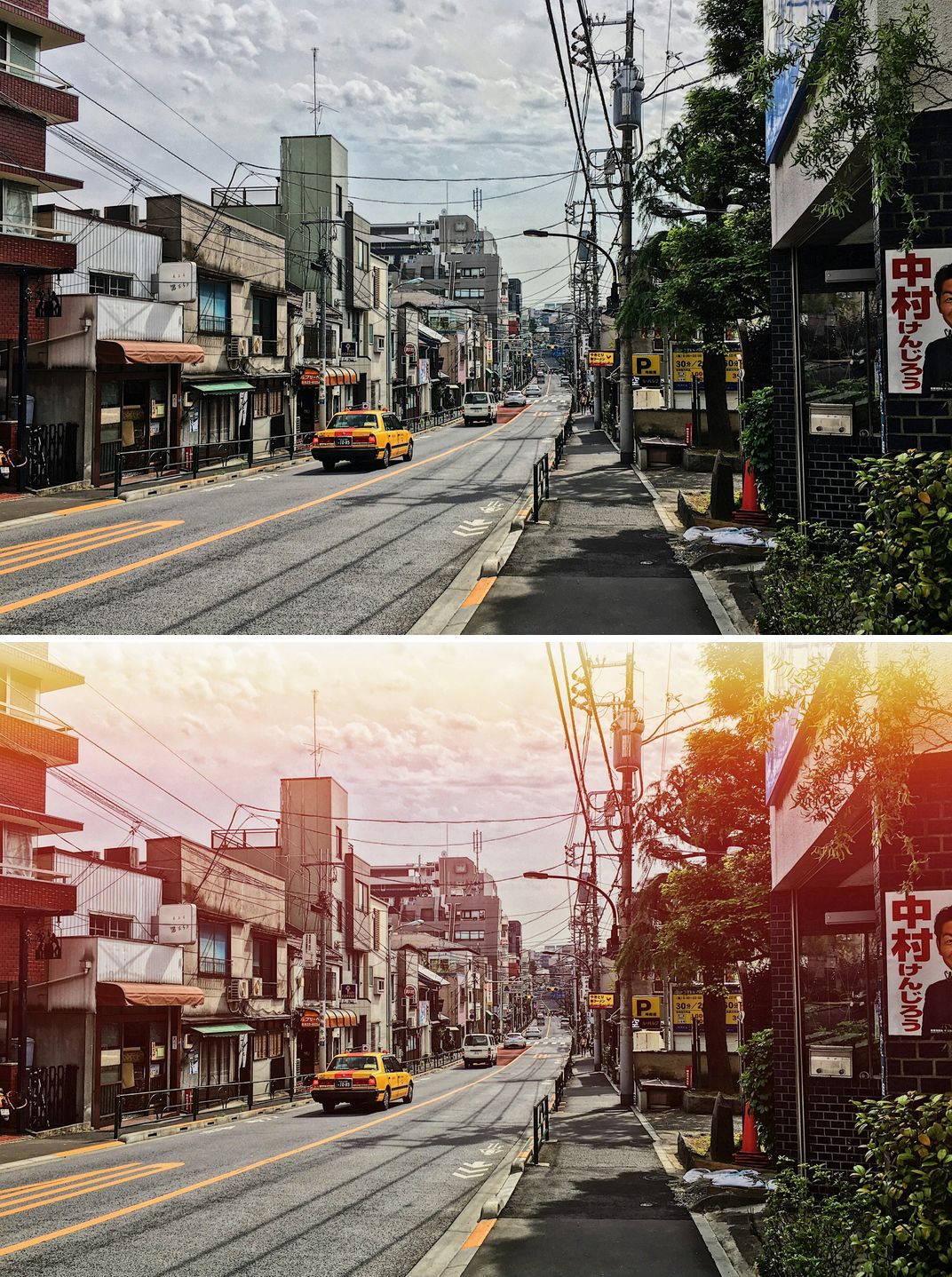
We redesigned the light leak. Edge is now Glow: 20 light patterns – bands, diagonal streaks, spots, a glowing corner, stripes and more – one picked at random for each photo and turned a random way. The light is added as brightening, so highlights never burn out to plain white and shadows are not lifted into flat patches.

What’s new
- The light leak option Edge is renamed Glow: Off / Glow / First roll.
- 20 light patterns – bands, diagonal streaks, spots, a glowing corner, stripes and more – one picked at random for each photo.
- Each pattern is also turned a random way (as shot, half a turn, mirrored left to right, mirrored top to bottom), and two photos in a row never get the same one.
- The light is added as brightening: it never burns out to plain white, and the shadows are not lifted into flat patches.
- A camera set to Edge gets Glow after the update. First roll is unchanged.
- ADJ 1.6: the light leak you can assign to ADJ now offers Off / Glow / First roll.
Off and Glow
The same street: Off above, Glow below. A warm, pale wash spreads from the top, and the bright parts keep their detail.
Every photo is different
Four photos, four patterns: a glowing corner, a low band, a soft spot and two spots. You never know which one you will get.

Where to set it
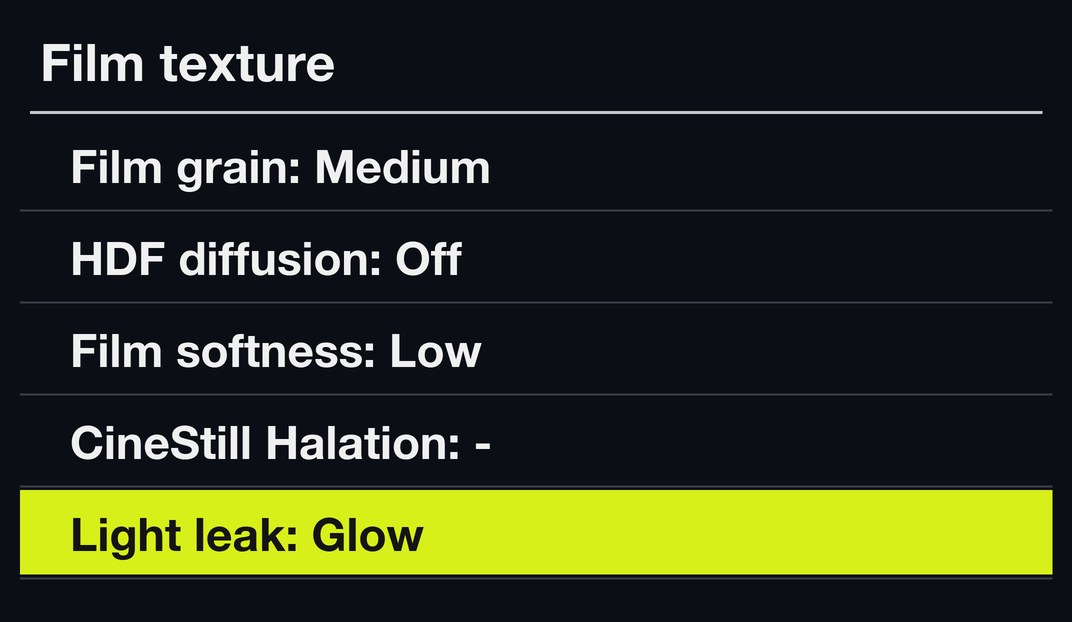
MENU → GRLife Pro → Film texture, fifth row, Light leak: Off, Glow or First roll. ▲▼ pick a row, ◀▶ change it.
How to upgrade
- Generate a new firmware in the firmware store and install it as before.
- Open MENU → GRLife Pro → Info: when the second line reads v1.41 you are on the new version.
- With a film bay film in use, set Light leak to Glow under GRLife Pro → Film texture; a camera set to Edge is already on Glow.
Good to know
- You will not see the leak in live view; it appears in the saved JPEG.
- It applies to film bay films only.
- Supports GR IIIx 1.60 / 1.70 and GR III 2.10 / 2.20; confirmed on a GR IIIx with 1.70.
- Installing unofficial firmware carries risk: keep the stock firmware so you can go back.
This post was first sent by email to GRLife users. To get the next one, sign in and turn on email notifications in Account settings.