
GRLife Pro v1.42: film grain in the X half’s manner, fine or coarse
We redid the film grain the way Fujifilm’s X half does it: the same amount in highlights, mid tones and shadows, so you see it on a bright sky or a white wall too; on the luminance only, with no colour specks; and the same for every film. Its strength and size are fitted to the X half’s grain; none of Fujifilm’s data is used. New this time: a choice of grain size.

What’s new
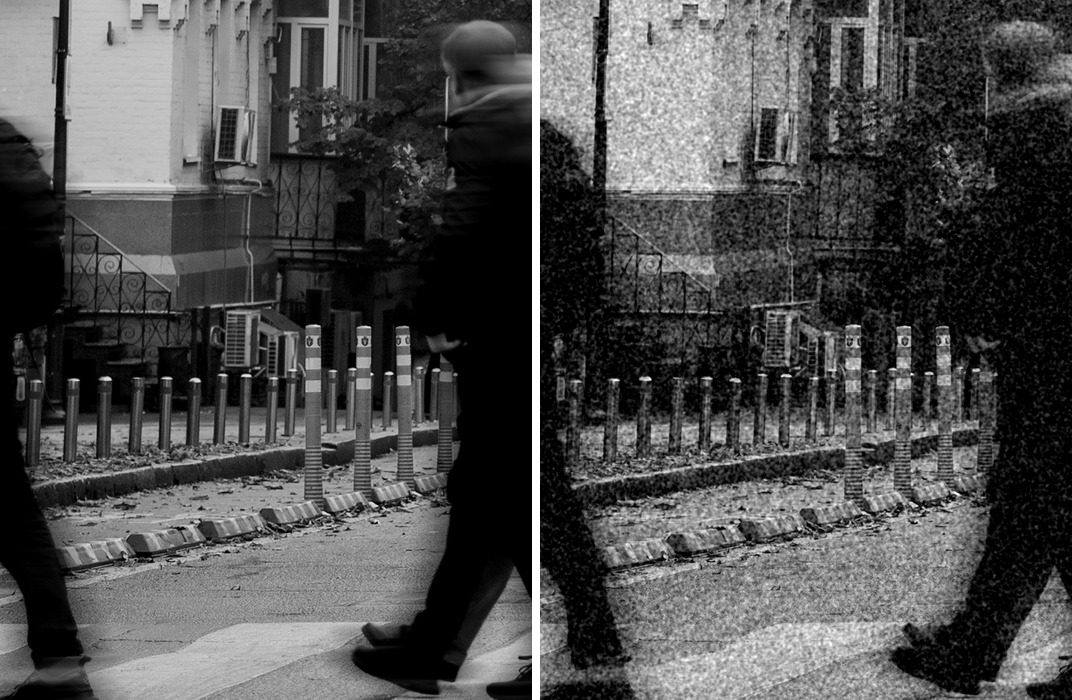
- The same grain in highlights, mid tones and shadows: a bright sky or a white wall gets grain too, not just the shadows.
- On the luminance only, with no colour specks; colour and black-and-white films get the same grain.
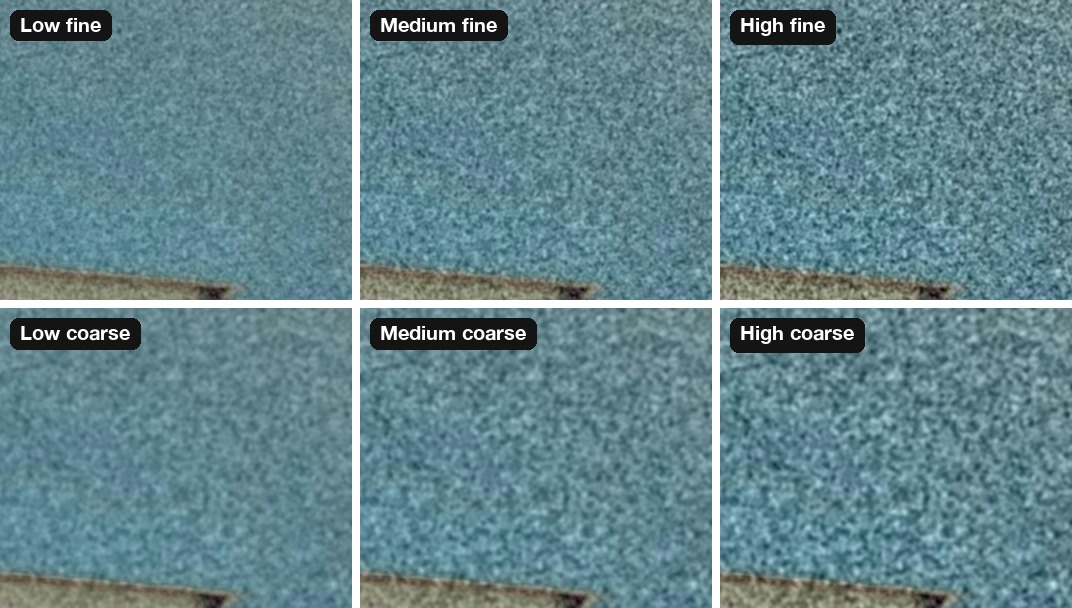
- New grain size: Off / Low fine / Medium fine / High fine / Low coarse / Medium coarse / High coarse. Fine grain is tight; coarse grain is larger and shows more.
- The level is still kept per film; the size is one for all films and is kept when you switch off.
- Each photo gets newly made grain, with no repeating pattern anywhere in the frame.
- ADJ 1.7: the film grain you assign to ADJ offers the same seven options, and RAW development lets you pick a size for that development only.
Six settings side by side
The same pale wall at 100 %: fine grain above, coarse below, low, medium and high from left to right.
On a black-and-white photo
The same black-and-white street, off on the left and High coarse on the right (shown at half size). The bright wall and road get grain too.
Where to set it
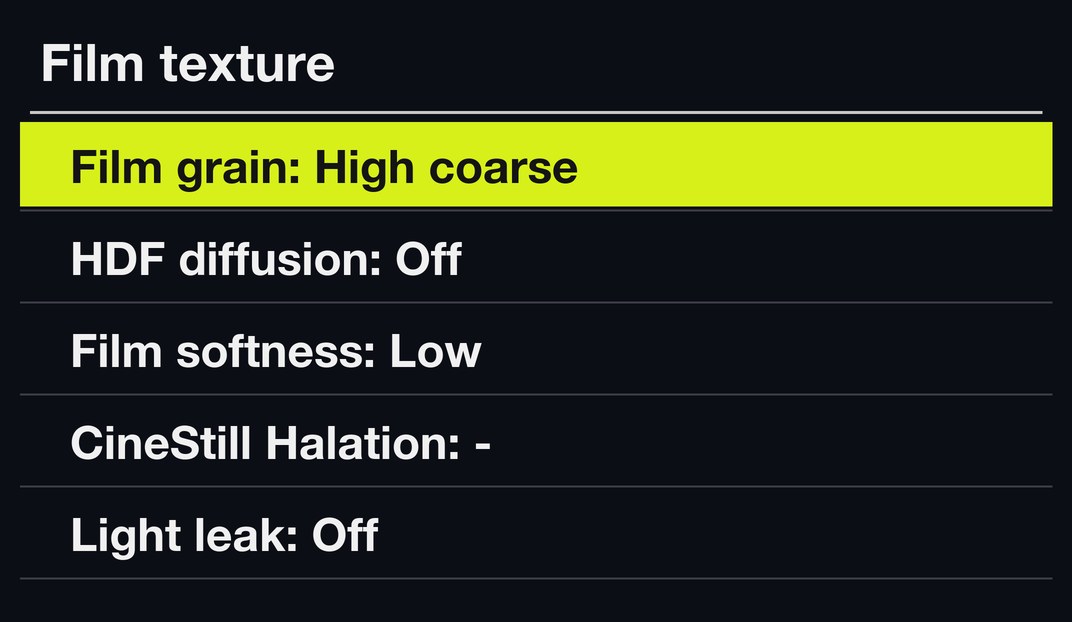
MENU → GRLife Pro → Film texture, first row, Film grain: Off, Low fine, Medium fine, High fine, Low coarse, Medium coarse or High coarse. ▲▼ pick a row, ◀▶ change it.
How to upgrade
- Generate a new firmware in the firmware store and install it as before.
- Open MENU → GRLife Pro → Info: when the second line reads v1.42 you are on the new version.
- With a film bay film in use, pick the grain level and size under GRLife Pro → Film texture.
Good to know
- You will not see the grain in live view; it appears in the saved JPEG.
- It applies to film bay films only.
- Supports GR IIIx 1.60 / 1.70 and GR III 2.10 / 2.20; confirmed on a GR IIIx with 1.70.
- Installing unofficial firmware carries risk: keep the stock firmware so you can go back.
This post was first sent by email to GRLife users. To get the next one, sign in and turn on email notifications in Account settings.