
GRLife Pro v1.43: classic film grain is back
The last update, v1.42, switched the grain to the X half’s manner. Some users told us they preferred the grain we had before, so it is back as “Classic”: little grain in the highlights and more in the shadows and mid tones, coarser on high-speed films, with faint colour specks on colour films, as in v1.41 and earlier. The X half-style fine and coarse grain stays too: three kinds to pick from.

What’s new
- Film grain has a new size, Classic: Low / Medium / High classic, after fine and coarse.
- Classic is the grain until v1.41: little in the highlights, more in the shadows and mid tones, coarser on high-speed films, clumps on high-speed black and white, faint colour specks on colour films.
- The X half-style fine and coarse grain is unchanged.
- The level is still kept per film; the size (fine / coarse / classic) is one for all films, and your current choice stays as it is.
- ADJ 1.8: the film grain you assign to ADJ gets the three classic levels too, and RAW development can use classic for that development only.
Three kinds of grain
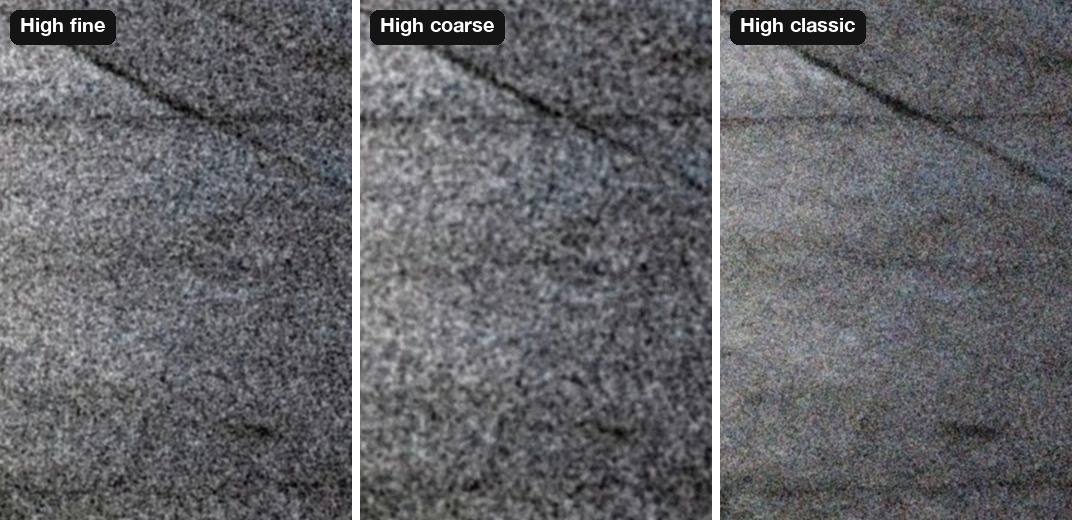
The same patch of platform at 100 %, all at High: fine on the left, coarse in the middle, classic on the right. Classic is softer, with a few colour specks.
It follows the film
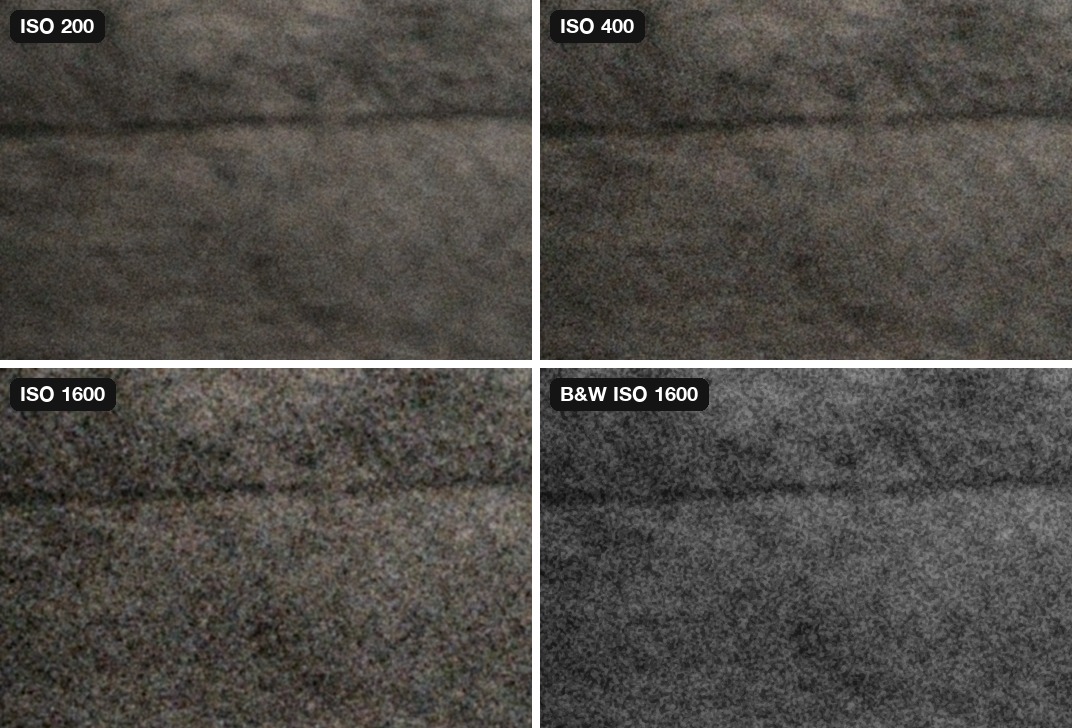
Classic grain follows the film’s speed. The same patch, all at Medium classic: ISO 200, ISO 400 and ISO 1600 colour films, and an ISO 1600 black and white film.
Where to set it
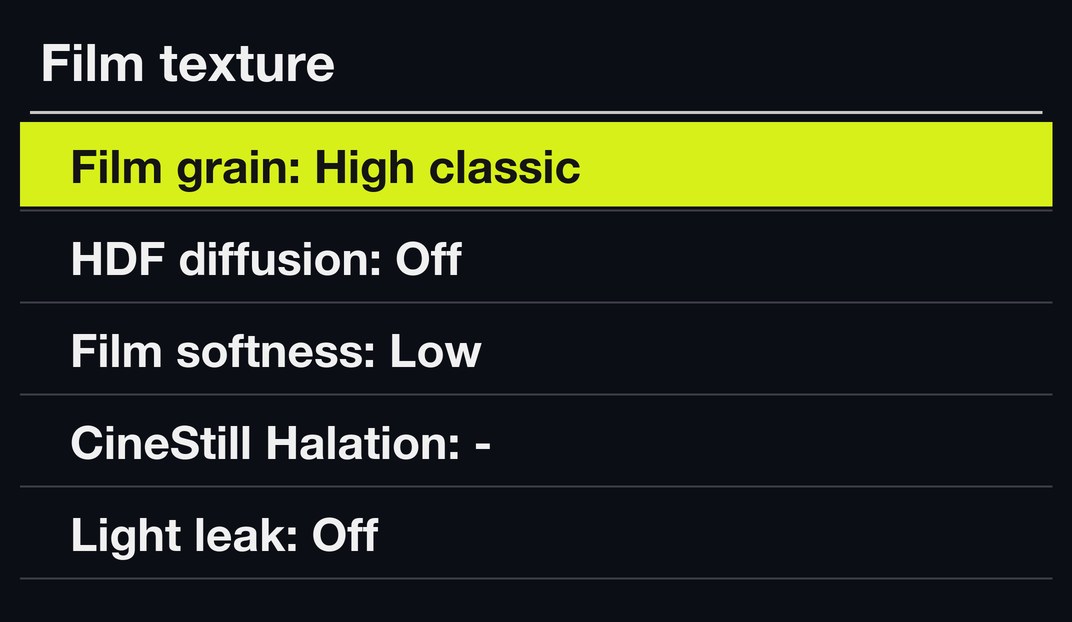
MENU → GRLife Pro → Film texture, first row, Film grain: Off, Low fine … High coarse, Low classic, Medium classic or High classic. ▲▼ pick a row, ◀▶ change it.
How to upgrade
- Generate a new firmware in the firmware store and install it as before.
- Open MENU → GRLife Pro → Info: when the second line reads v1.43 you are on the new version.
- With a film bay film in use, set Film grain to a classic level under GRLife Pro → Film texture.
Good to know
- You will not see the grain in live view; it appears in the saved JPEG.
- It applies to film bay films only.
- Supports GR IIIx 1.60 / 1.70 and GR III 2.10 / 2.20; confirmed on a GR IIIx with 1.70.
- Installing unofficial firmware carries risk: keep the stock firmware so you can go back.
This post was first sent by email to GRLife users. To get the next one, sign in and turn on email notifications in Account settings.