
Golden ratio grid and golden spirals for your GR’s grid lines
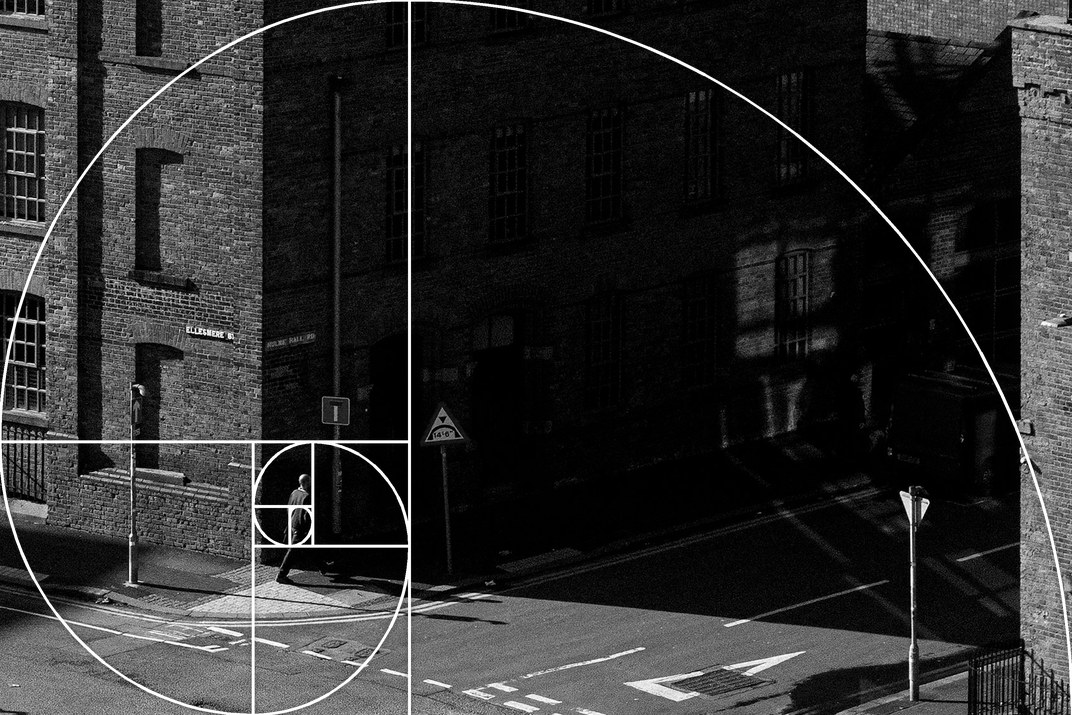
Out of the box, a GR offers 3×3 and 4×4 grid lines. The new Golden ratio guides feature adds five more to the camera’s own Grid Style menu: a golden ratio grid, and a golden spiral with its centre lower right, lower left, upper right or upper left. You can add it on its own on the custom firmware page.
What’s new
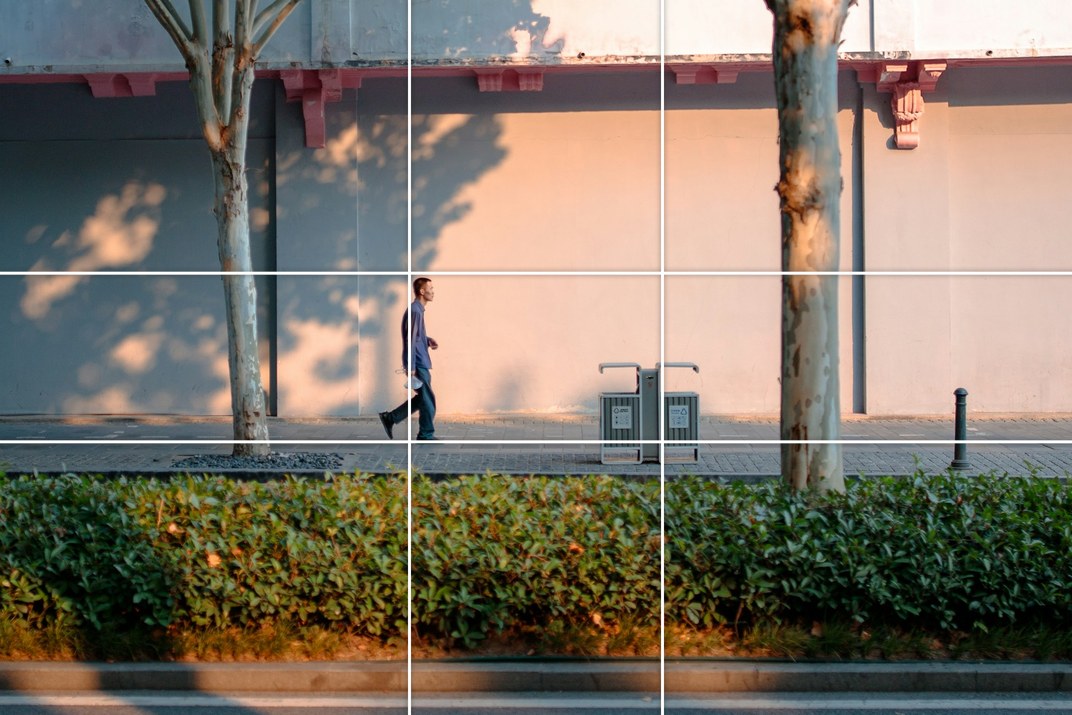
- Golden Ratio: two lines each way at 0.382 and 0.618 of the frame, a little closer to the centre than 3×3.
- Golden spirals with their squares, centre lower right, lower left, upper right or upper left: put your subject where the spiral ends.
- The guides follow the current aspect ratio and stay inside the photo: at 3:2, 4:3, 16:9, 5:4 and 7:6 the spiral is stretched to the whole photo; at 1:1 and 65:24 it sits in a centred golden rectangle.
- They show while shooting only; playback still shows 3×3, and your photos are not changed.
- Your choice is kept when you switch off, and each USER mode keeps its own.
The golden ratio grid
Put people on the vertical lines, and the foot of a wall or the horizon on the horizontal ones.
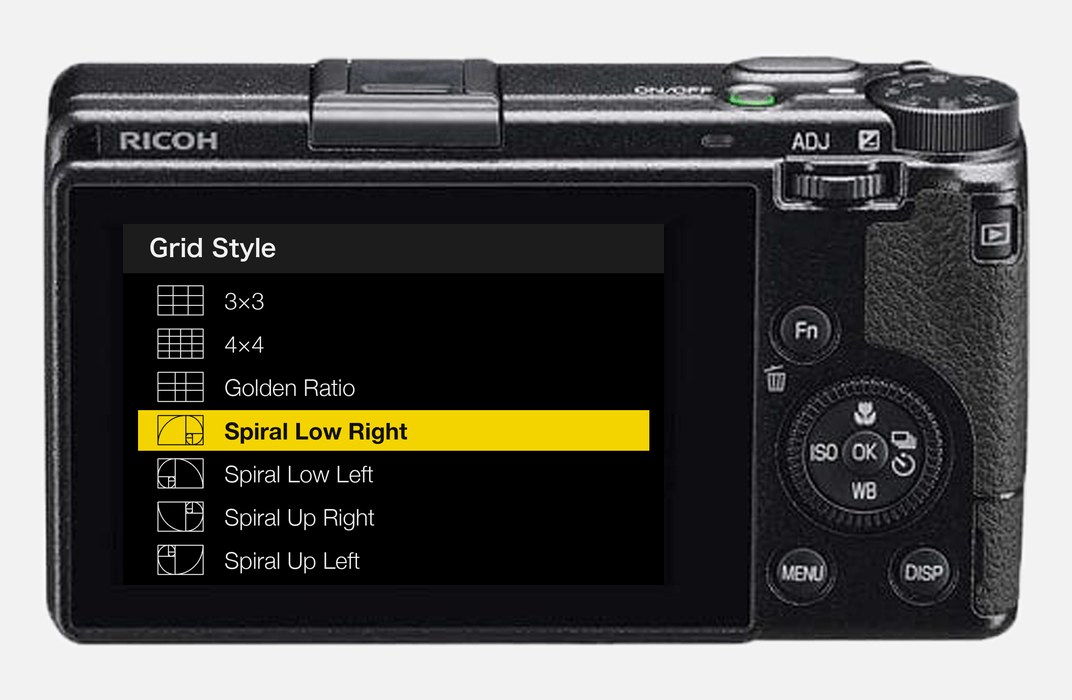
Pick it in the camera menu
Turn the grid lines on, then choose in Grid Style; 3×3 and 4×4 stay where they were.
Getting started
- Open the firmware store, add Golden ratio guides on its own (More aspect ratios is not needed), generate a new firmware and install it as before.
- In the camera menu, turn the grid lines on, then choose Golden Ratio or one of the spirals in Grid Style.
Good to know
- Supports GR IIIx 1.60 / 1.70 and GR III 2.10 / 2.20; confirmed on a GR IIIx with 1.70. Not yet tested on a GR III.
- After flashing back to the stock firmware, the grid shows 3×3.
- Installing unofficial firmware carries risk: keep the stock firmware so you can go back.
This post was first sent by email to GRLife users. To get the next one, sign in and turn on email notifications in Account settings.