
GRLife Pro v1.31: films in video mode too
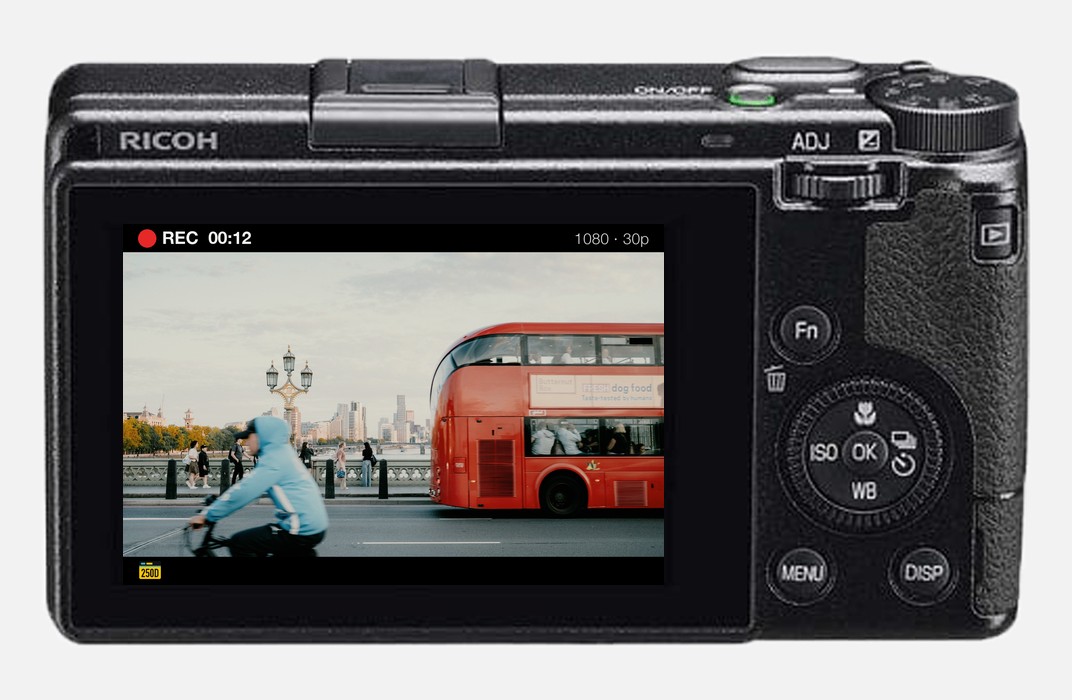
Until now the film bay’s films worked for photos only; switching to video brought back the factory colours. GRLife Pro v1.31 adds your 5 film bay positions to the Image Control list in video mode, so videos can have a film’s colours too.
What’s new
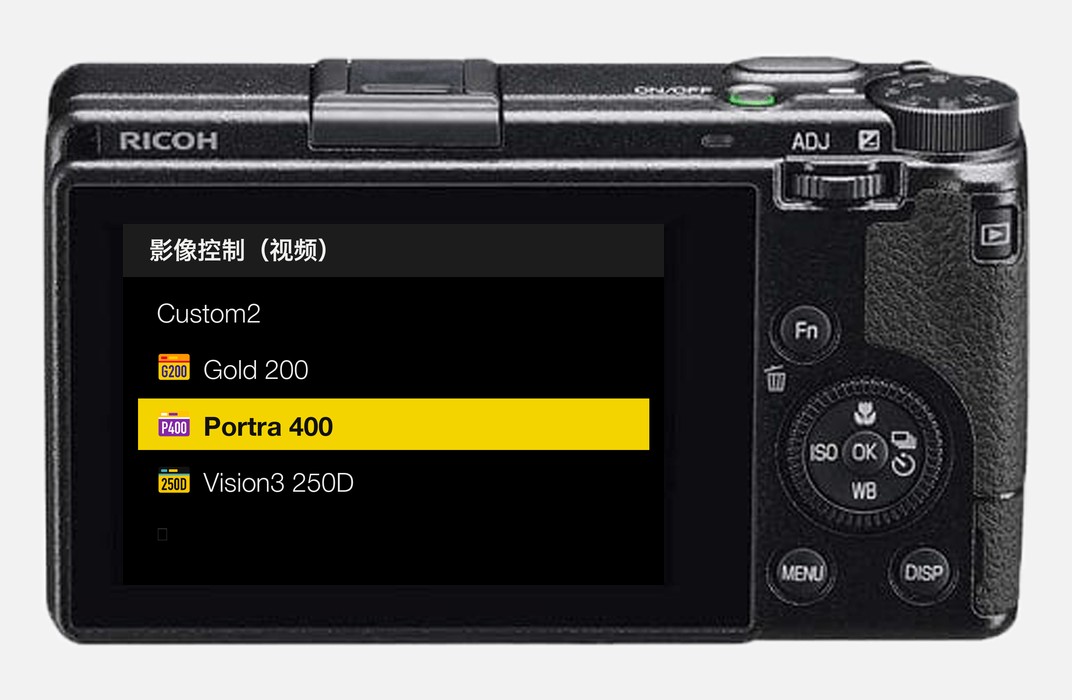
- In video mode, the Image Control list has the 5 films of your film bay right after Custom2. Pick one from the menu or with the ADJ lever and the live view takes on the film’s colours at once.
- Photos and videos each keep their own choice: one film for photos, another for video, and switching between them changes neither.
- A position’s settings are shared by photos and video.
- Video gets the film’s colours only; grain and diffusion stay with photos.
- Fixed: switching the camera on in video mode no longer clears the film chosen for photos.
One street, three films
The same street scene in three of the built-in films.
 Gold 200
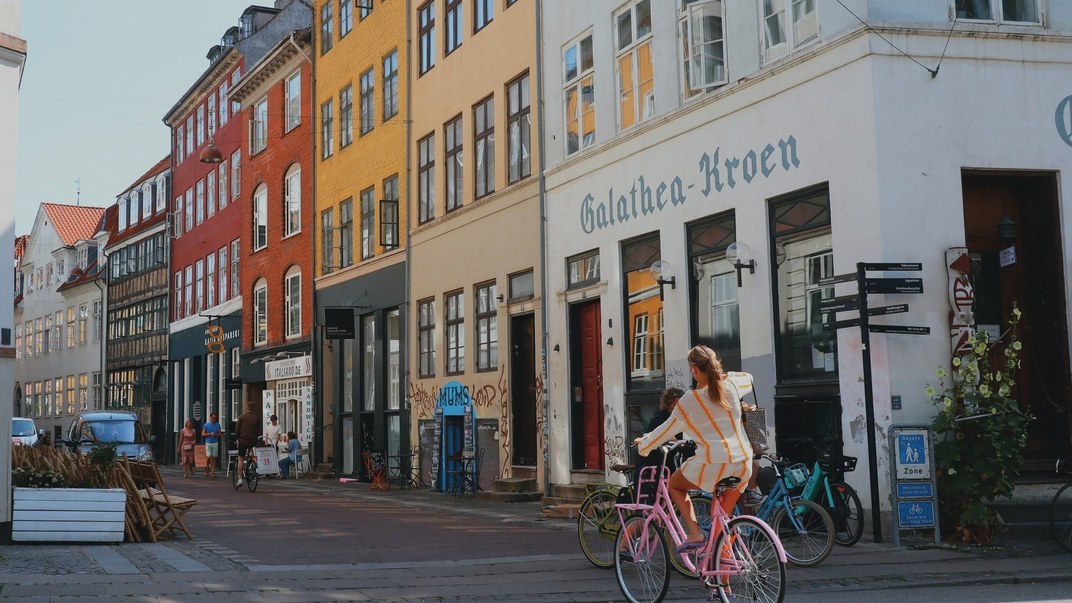
 Portra 400
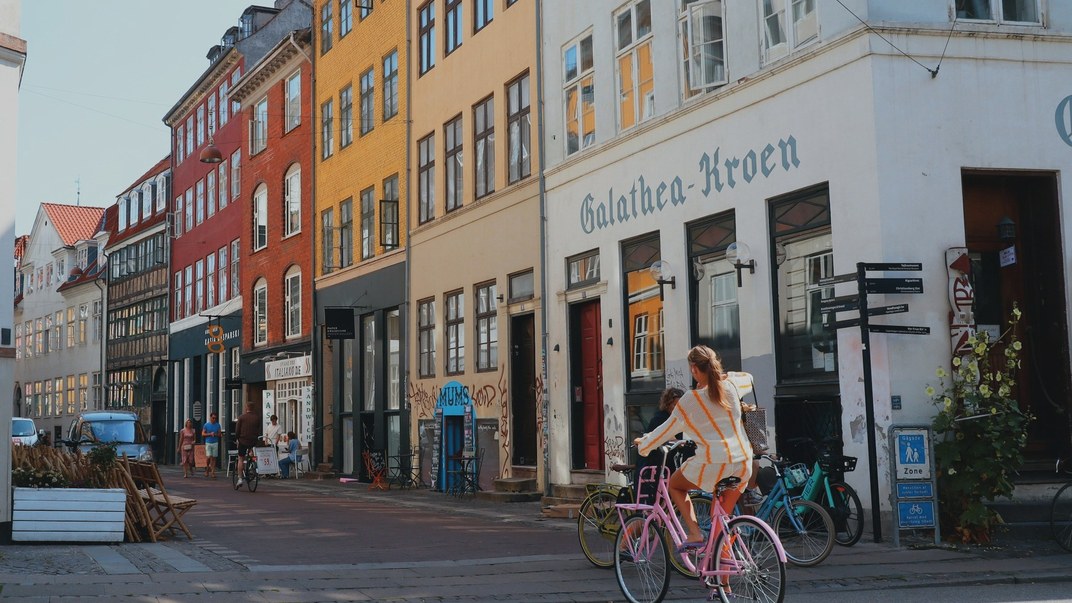
 Vision3 250D
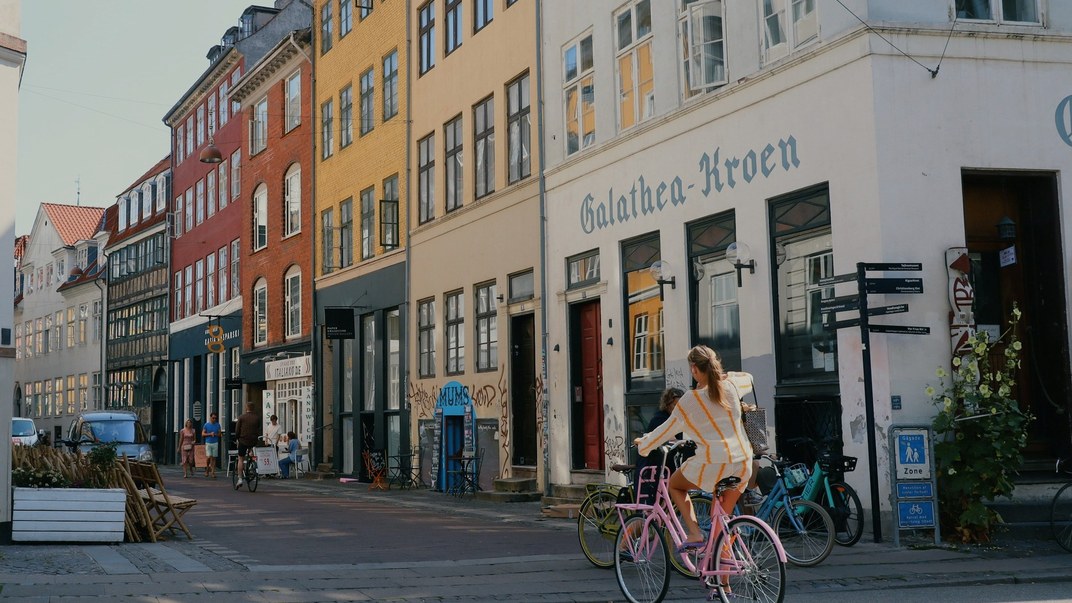
Image Control in video mode
Switch to video mode, open Image Control and scroll past Custom2: the films are the ones in your positions right now.
Getting started
- Generate a new firmware in the firmware store and install it as before. Open MENU → GRLife Pro → Info: when the second line reads v1.31 you are on the new version.
- The film library file on your SD card stays as it is.
- Switch to video mode, choose a film in Image Control and record a short clip.
Good to know
- Supports GR IIIx 1.60 / 1.70 and GR III 2.10 / 2.20; confirmed on a GR IIIx with 1.70.
- The film chosen for video is one for the whole camera; switching USER boxes does not change it.
- Installing unofficial firmware carries risk: keep the stock firmware so you can go back.
This post was first sent by email to GRLife users. To get the next one, sign in and turn on email notifications in Account settings.