
GRLife Pro v1.32: a Med-large date stamp, and the right turn for upright shots
A user told us the Large date stamp was too big and Medium a little small. GRLife Pro v1.32 adds Med-large in between, and fixes the stamp turning the wrong way when you turn the camera right after a shot.
Four sizes
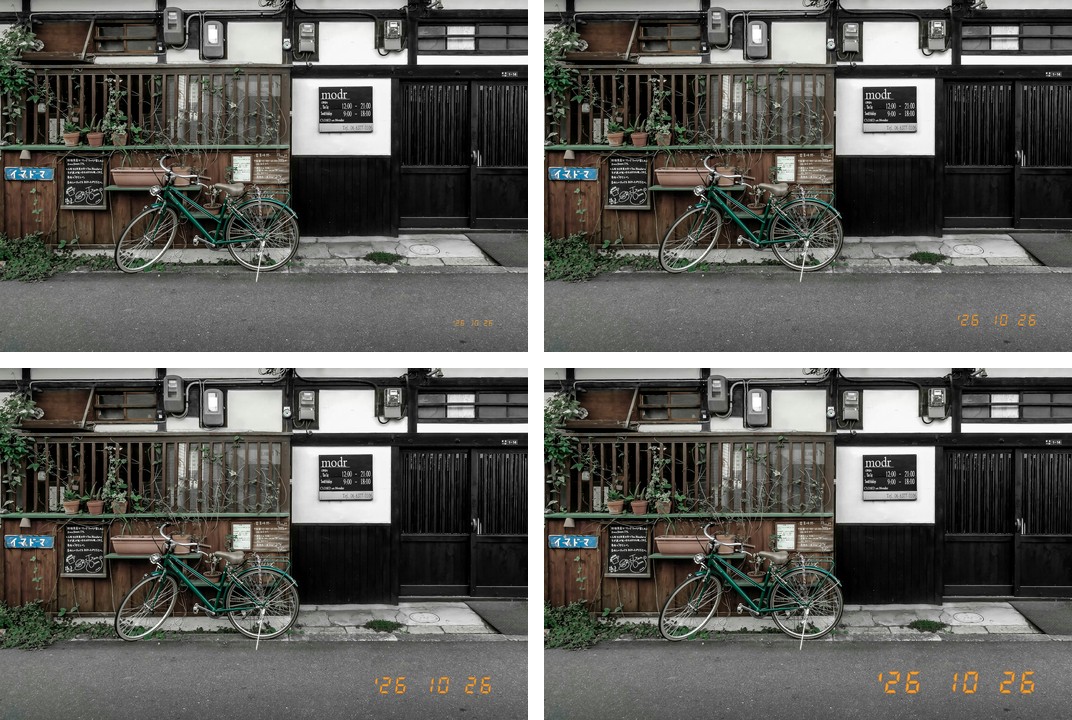
The same photo with each stamp size, true to scale: Small top left, Medium top right, Med-large bottom left, Large bottom right.
What’s new
- The date stamp Size row is now Small / Medium / Med-large / Large. Med-large is 1.5 times Medium: the figures are about 4.65 % of the photo’s short side (Medium 3.1 %, Large 6.2 %).
- Medium stays the default, close to what a film camera’s data back printed.
- The old Auto, which looked exactly like Medium, becomes Med-large; if you had picked Auto, the menu now shows Med-large.
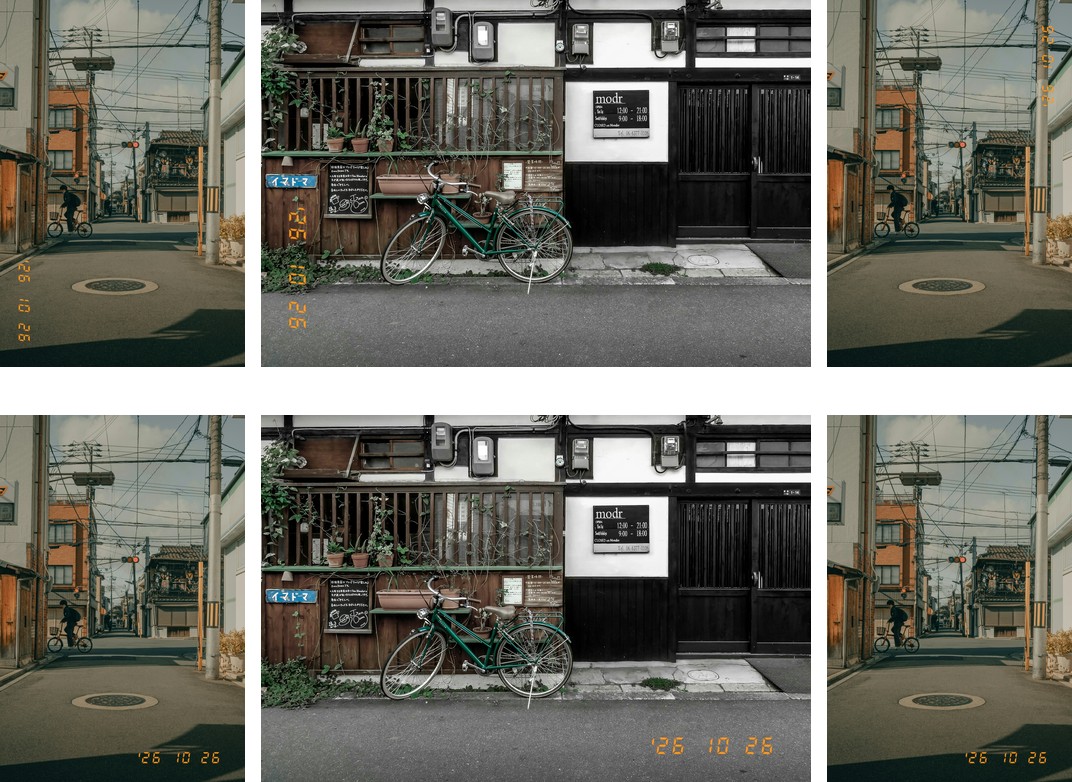
- Fixed: turning the camera right after a shot could print the stamp the way the next shot was held. The way you hold the camera is now noted the moment you press the shutter.
Turn the camera right after the shot
Three shots in a row, upright, level, upright the other way, turning the camera right after each. Top row: before; bottom row: v1.32.
Getting started
- Generate a new firmware in the firmware store and install it as before. Open MENU → GRLife Pro → Info: when the second line reads v1.32 you are on the new version.
- The film library file on your SD card stays as it is.
- Go to GRLife Pro → Date stamp → Size and step through the four sizes with left and right.
Good to know
- Supports GR IIIx 1.60 / 1.70 and GR III 2.10 / 2.20; confirmed on a GR IIIx with 1.70.
- Installing unofficial firmware carries risk: keep the stock firmware so you can go back.
This post was first sent by email to GRLife users. To get the next one, sign in and turn on email notifications in Account settings.