
GRLife Pro v1.28: films in in-camera RAW development
Until now, in-camera RAW development on the GR only offered the stock looks, and the films in your film bay were left out. GRLife Pro v1.28 adds them: try another film after the shot, and develop the RAW again with it right in playback.
What’s new
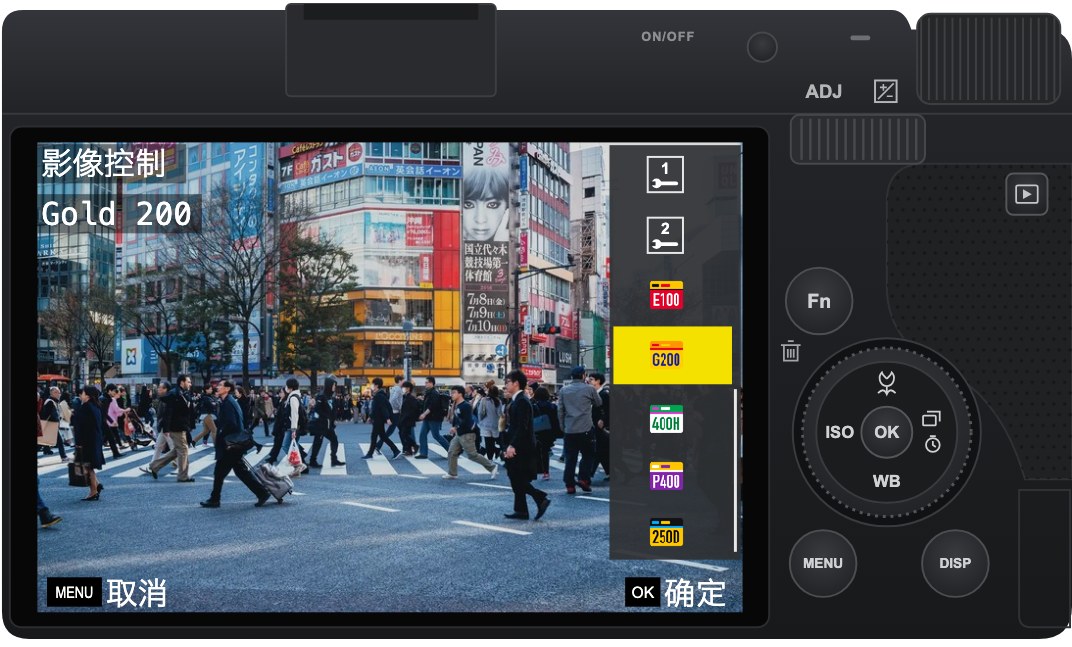
- Play back a RAW → MENU → RAW development → Image Control: after Custom2 there are 5 more rows, the films in your 5 film bay positions, with the film’s name under the list.
- Pick one and the preview takes that film’s colours; confirm to save a JPEG. The settings are those of that position in the shooting menu.
- As shot brings back the film the photo was taken with: the camera notes the film of every photo, so it works even after that position was loaded with another film. If no position holds that film any more, it is read from the film library.
- RAW-only shots now show their film name in playback too (shots taken with v1.28 or later).
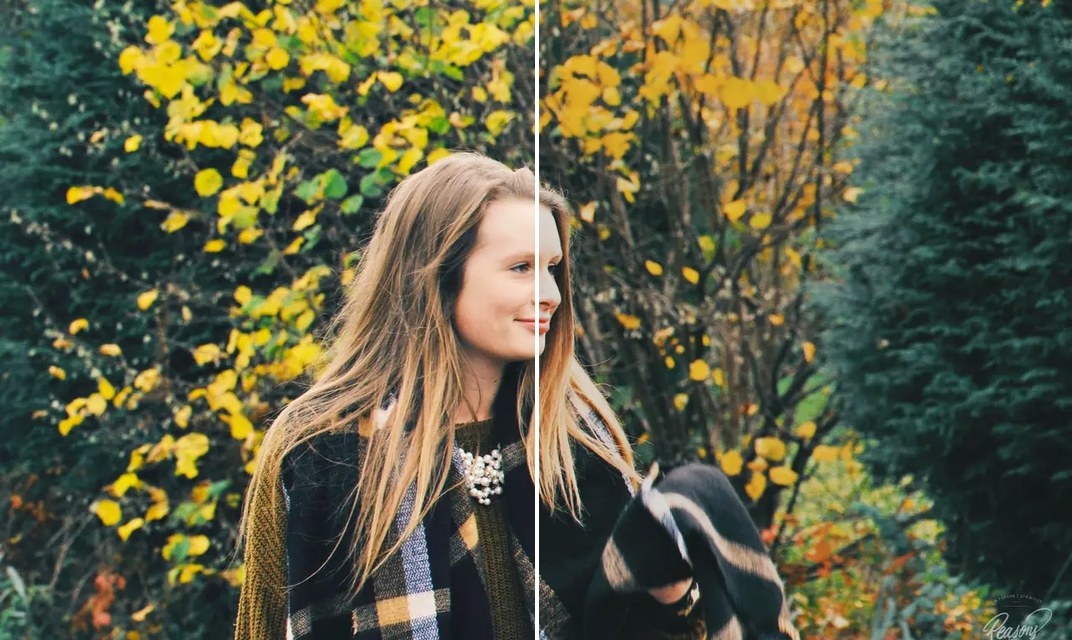
One RAW, another film
Left the original, right developed with Gold 200.
How to upgrade
- Generate a new firmware in the firmware store and install it as before.
- Open MENU → GRLife Pro → Info: when the second line reads v1.28 you are on the new version.
- Play back a RAW, open MENU → RAW development → Image Control and scroll past Custom2 to the films.
Good to know
- The film rows in RAW development cannot be fine-tuned there for now; they use that position’s settings from the shooting menu.
- Grain and softness are added to the saved JPEG at the current levels; the preview only shows the colours.
- RAW-only shots taken before v1.28 have no film record: playback and As shot use the film that position holds now.
- Supports GR IIIx 1.60 / 1.70 and GR III 2.10 / 2.20; confirmed on a GR IIIx with 1.70.
- Installing unofficial firmware carries risk: keep the stock firmware so you can go back.
This post was first sent by email to GRLife users. To get the next one, sign in and turn on email notifications in Account settings.