
Nine ADJ settings on your GR, and the grid style right in ADJ
Out of the box, a GR’s ADJ Mode Setting holds five functions. The new Nine ADJ settings feature makes it nine: press ADJ while shooting and every function you assigned is lined up at once. Grid Style becomes an ADJ function too, so you can change the grid lines without opening the menu. You add it together with GRLife Pro on the custom firmware page.
What’s new
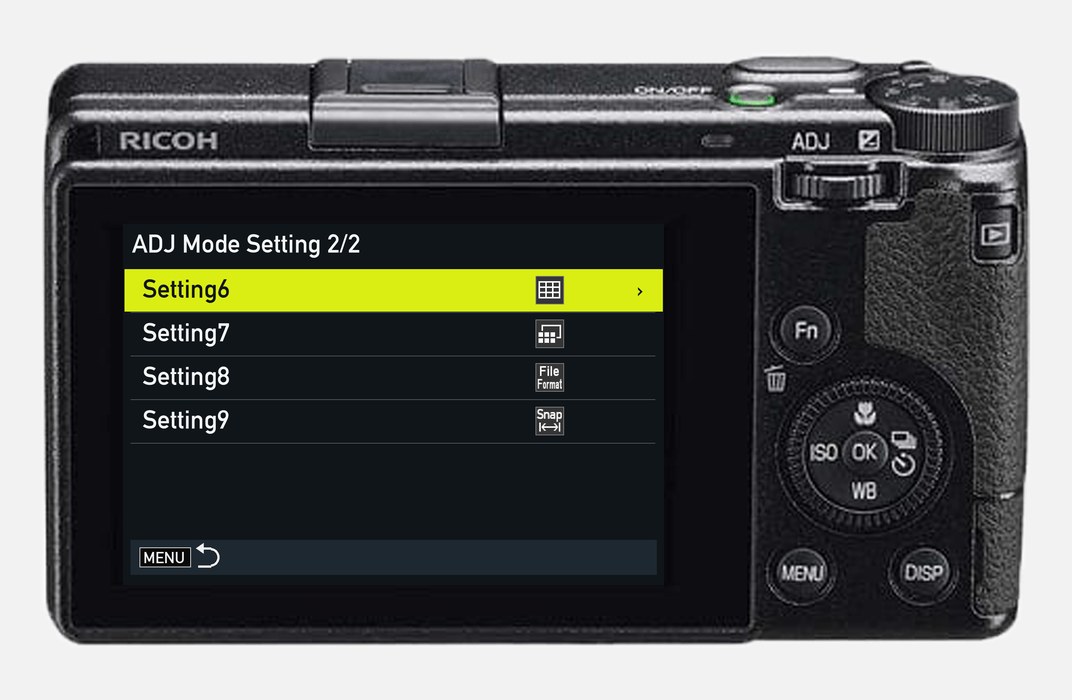
- ADJ Mode Setting grows from 5 to 9 settings, on two menu pages, 1/2 and 2/2: press down on Setting5 to reach Setting6, and down on Setting9 to go back to Setting1; the front dial works the same, and the ADJ lever (left or right) turns the page.
- Press ADJ while shooting and the strip shows every assigned function you can use right now, all at once and in setting order: up to nine tiles, right-aligned like the stock strip.
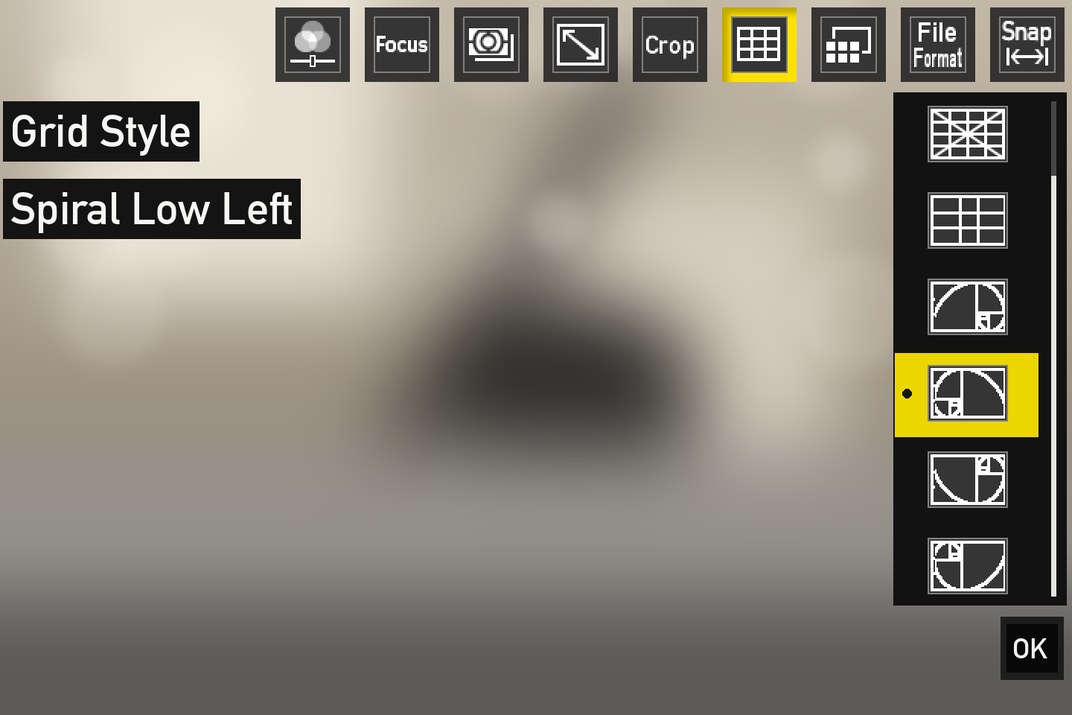
- New ADJ function Grid Style: switch between 3×3 and 4×4 right in ADJ, and if you also added the golden ratio guides, the golden ratio grid and the golden spirals in four directions.
- The grid shows only when the stock Grid Guide is turned on.
- With settings 6 to 9 all Off, ADJ is exactly the stock one; ADJ in movie mode is unchanged.
Press ADJ, see them all
Above, the stock five tiles; below, with all nine set: settings 6 to 9 follow on, in setting order.

Set them on page 2 of ADJ Mode Setting
Open ADJ Mode Setting in the MENU, press down on Setting5 to reach page 2, and pick a function for settings 6 to 9; leave any you don’t need Off.
Getting started
- Open the firmware store and add Nine ADJ settings together with GRLife Pro (it needs GRLife Pro). For the golden ratio grid and spirals in ADJ, add Golden ratio guides as well.
- Generate a new firmware and install it as before.
- Open ADJ Mode Setting in the MENU and assign functions to settings 6 to 9 on page 2. To switch the grid in ADJ, turn on the stock Grid Guide first, then assign Grid Style to any setting.
Good to know
- Supports GR IIIx 1.60 / 1.70 and GR III 2.10 / 2.20; confirmed on a GR IIIx with 1.70. Not yet tested on a GR III.
- Settings 6 to 9 and a Grid Style on settings 1 to 5 are stored separately; after flashing back to the stock firmware, they show Off.
- This is not an official Ricoh tool. Installing unofficial firmware carries risk: keep the stock firmware so you can go back.
This post was first sent by email to GRLife users. To get the next one, sign in and turn on email notifications in Account settings.