
GRLife Pro 2.2: snap distance in feet
GRLife Pro 2.2 is out today for the GR III, GR IIIx and GR IV (Beta). It adds one switch: the snap focus distance can be shown in feet instead of metres. The GR IV gets two improvements of its own. The film library is unchanged.
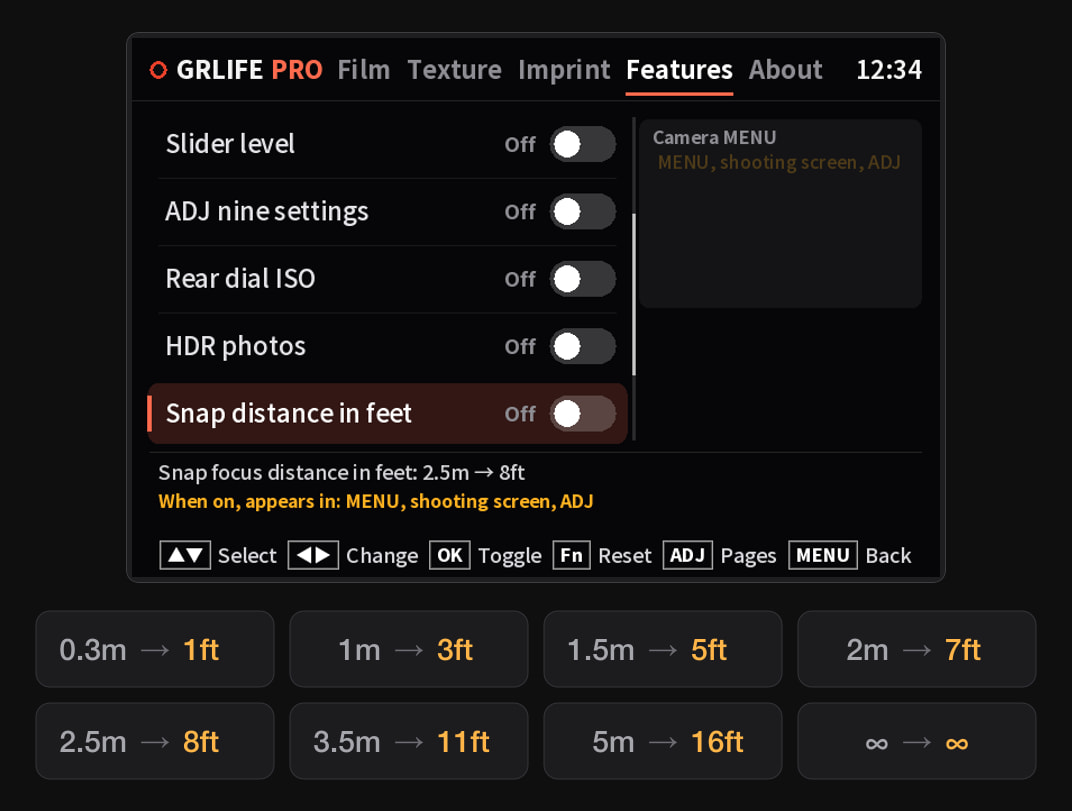
Snap distance in feet
- Where: Press OK on the shooting screen to open GRLife Pro; “Snap distance in feet” is on the Features page. It is off by default.
- When it is on: The snap focus distance reads in feet in MENU, on the shooting screen and in ADJ: 0.3m → 1ft, 1m → 3ft, 1.5m → 5ft, 2m → 7ft, 2.5m → 8ft, 3.5m → 11ft, 5m → 16ft; ∞ stays as it is.
- Display only: The focus distance itself is the same as before. It works in every display language of the camera; turn the switch off, or flash the official firmware, and metres are back.
- The 1.x store page: The 1.x firmware page, where you tick features one by one, also has a new box, “Snap distance in feet”. There is no switch in the camera there: once ticked, it always reads in feet.
GR IV (Beta)
- Updates at start-up: When the card carries a newer App or film library than the copy in the camera, the camera now shows an update screen with progress by itself shortly after power-on and returns to shooting when done. While the film library is still loading, a film change is held back with a hint instead of working on a half-loaded library.
- Live view freeze fixed: Changing a film in the App while the card access lamp was on could freeze the live view. The camera now leaves the card alone around a film change.
- Known limitation: If you press OK right after power-on, before the films are ready, you may land in the GRLife Pro entry of MENU instead of the App, and a film picked at that moment may not be applied. Wait two or three seconds after power-on before pressing OK.
The GR III / IIIx do not have the start-up update screen yet; the App works there as before.
How to update
- Open the firmware page, generate again with your earlier choices and download the ZIP.
- Flash the new firmware as the chart on the page shows. This applies to the GR III / IIIx and the GR IV alike: the feet switch and the GR IV improvements are in the firmware.
- Copy GRLPRO.GRP from the ZIP’s GRLIFE folder into the GRLIFE folder on the card, replacing the old one. Keep the FILMS.GRF already on the card; don’t overwrite it with the ZIP’s copy, which holds only the five built-in films.
- Turn the camera on with the card in. On a GR III / IIIx, wait about 10 seconds; a GR IV shows the update screen and returns to shooting when done. Press OK to open GRLife Pro: About should show v2.2.
Tested on a GR IIIx (official firmware 1.70) and a GR IV (1.20); the GR III shares the GR IIIx changes and passed the offline checks.
The film library is unchanged: still 92 films, and nothing new to get this time. The five built-in films are free; the GRLife Pro Film Collection, once you have it, covers all 92 films in the library and every film added later.
Open the firmware page See the Film Collection
This post was first sent by email to GRLife users. To get the next one, sign in and turn on email notifications in Account settings.