
GRLife Pro 2.4: Live photos, a short clip with every shot
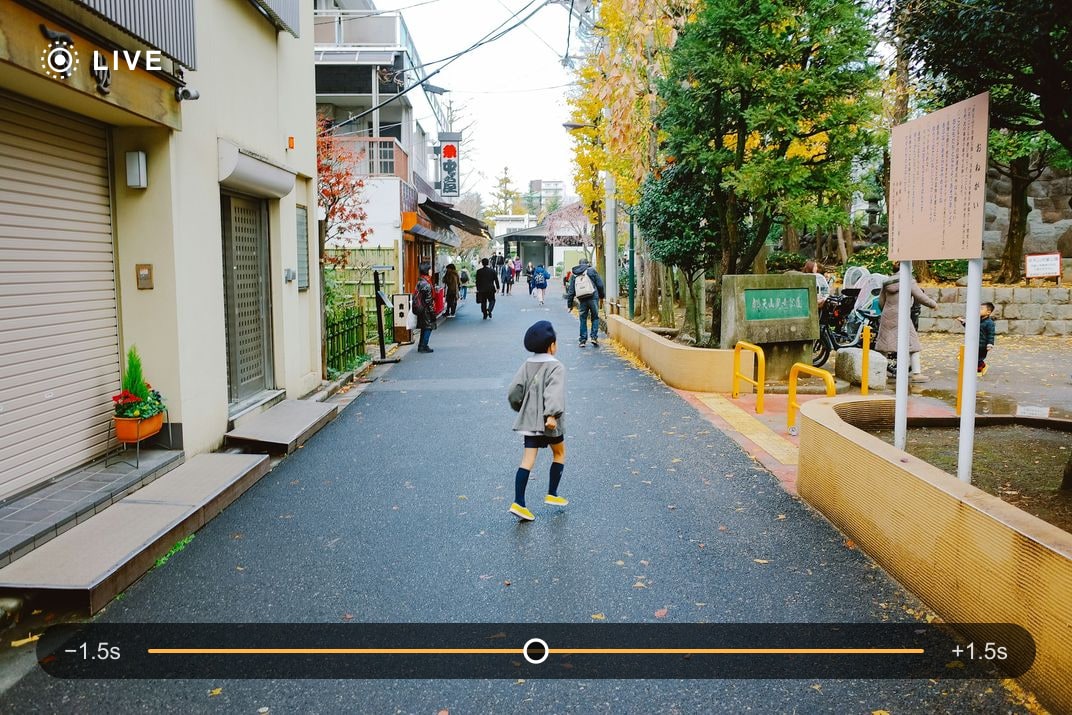
GRLife Pro 2.4 is out. It adds Live photos: once switched on, the camera saves a short silent clip with every photo, about 1.5 seconds before and 1.5 seconds after the shutter. Afterwards the site’s Live Photo Export page turns photo and clip into a picture that moves in your phone’s gallery. It works on the GR III, GR IIIx and GR IV (Beta). The film library has not changed.
Live photos
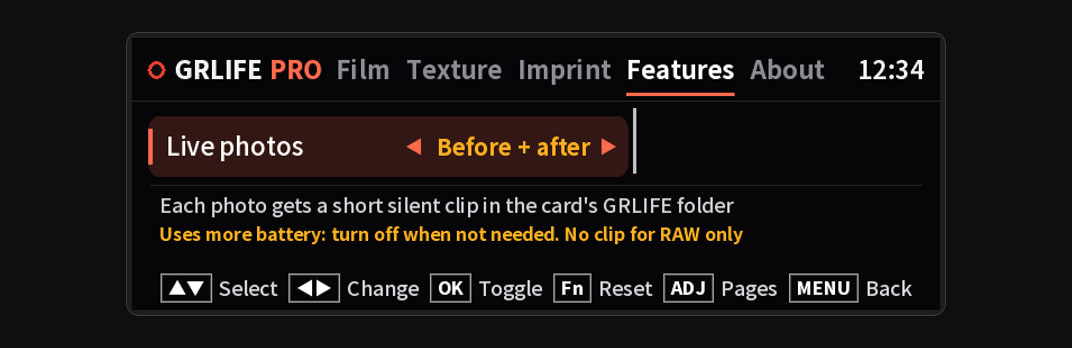
- Where: Press OK while shooting to open GRLife Pro; “Live photos” is the last row of the Features page. Choose “Before + after” or “After only”; it is off by default.
- What it records: “Before + after” is about 1.5 s before and 1.5 s after the shutter, “After only” just the 1.5 s after it. The clip has no sound; it records the live view, at a lower resolution than the photo.
- Where it goes: Clips go to the SD card’s GRLIFE folder. Photos are saved as usual and are not changed.
- ADJ: “Live photo” (Off / On) can be assigned to ADJ, to pause and resume it while shooting without opening GRLife Pro.
- Battery: It uses more battery while on; turn it off when you don’t need it.
Into your phone’s gallery
- Put the SD card in a computer or phone and open the site’s Live Photo Export page.
- Pick the card’s root folder; the page pairs each photo with its clip by the time it was taken.
- Export as iPhone Live Photos or Android motion photos and save them to your gallery.
Files are processed in your browser and are not uploaded. Open Live Photo Export →
Supported cameras
- GR III / GR IIIx: Available in this version.
- GR IV: Available in this version; in Beta, like the rest of the GR IV version. The GR IV does not support the anamorphic lens yet.
Known limits
- Photos recorded as RAW only get no clip; JPEG and RAW+JPEG do.
- GR III / IIIx: in a burst, only the first 3 photos get a clip.
- GR IV: in a burst of up to 3 photos, the first photo gets a clip; a burst of 4 or more gets none. After a long burst, Live photos resume once the card access lamp has gone out.
- If you power off right after a shot, the camera first finishes writing the clip, so it turns off a few seconds later.
How to update
- Open the firmware page, generate again and download the ZIP.
- Flash the new firmware as the chart on the page shows. This time all three cameras need flashing.
- Copy GRLPRO.GRP from the ZIP’s GRLIFE folder into the GRLIFE folder on the card, replacing the old one. Keep the FILMS.GRF already on the card; don’t overwrite it with the ZIP’s copy, which holds only the five built-in films.
- Turn the camera on with the card in, wait about 10 seconds and press OK to open GRLife Pro: About should show v2.4.
If you don’t use Live photos there is no need to update; nothing else has changed.
Tested on a GR IIIx (official firmware 1.71) and a GR IV (official firmware 1.21); the GR III and the other firmware versions share the same changes and passed the offline checks.
The film library is unchanged: still 92 films, and nothing new to get this time. The five built-in films are free; the GRLife Pro Film Collection, once you have it, covers all 92 films in the library and every film added later.
Open the firmware page See the Film Collection
This post was first sent by email to GRLife users. To get the next one, sign in and turn on email notifications in Account settings.