
New film Ferry: cream whites and teal greens for mixed indoor light (93 films)
Ferry is a colour negative look of our own design, made for scenes where indoor light mixes with daylight from a window: ferry cabins, train cars, cafés, waiting rooms. It does not simulate any real film stock.
 Ferry
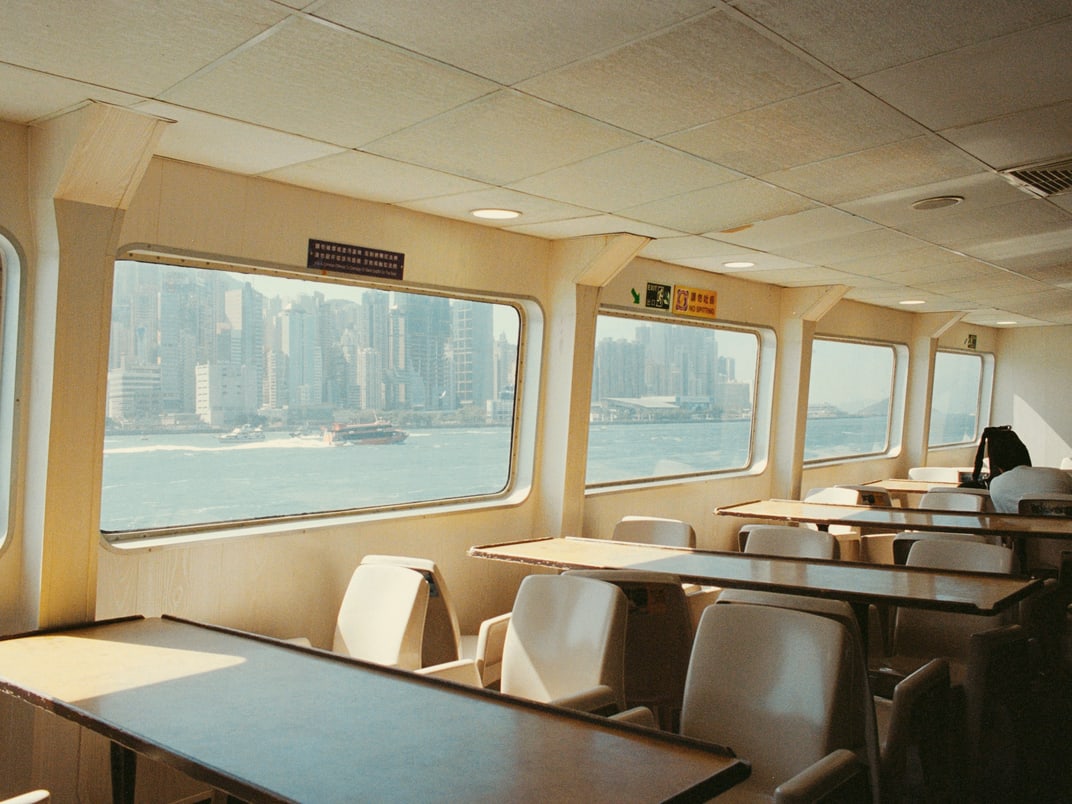
Ferry is part of the GRLife Pro Film Collection. Get it once and you can use all 93 films in the library and every film added later.
Ferry’s colour
- Whites turn cream, and highlights roll off gently.
- Yellows lean amber, so wood and lamps look warmer.
- Greens lean teal and go deeper.
- Blues are darker and less saturated, close to navy.
- Shadows are dense; overall a little darker and more contrasty than Standard.
The look shows most under mixed indoor light; outdoors on a sunny day it changes little.
How to get it
- Once you have the Film Collection, download FILMS.GRF for your camera on the film library page and put it in the GRLIFE folder on the card.
- Open the firmware page, generate again with your earlier choices, and copy GRLPRO.GRP from the ZIP’s GRLIFE folder into the GRLIFE folder on the card, replacing the old one. No flashing. Don’t overwrite your FILMS.GRF with the ZIP’s copy, which holds only the five built-in films.
- Press OK on the camera: About shows App version v2.4.1, and Ferry is on the film page under “Other brands”.
Ferry also works without the new GRLPRO.GRP; it is then listed under “More films” with a plain label.
Open the firmware page See the Film Collection
Ferry’s page → Release notes →
This post was first sent by email to GRLife users. To get the next one, sign in and turn on email notifications in Account settings.