
GRLife Pro 2.5.4: photos record their film and recipe; film names standardised
GRLife Pro 2.5.4 is out. From this version on, each photo records the film and the recipe it was shot with, so there is no more guessing when you sort your pictures later. The film names have been tidied up as well, and a lost film record on the GR IV is fixed. All three cameras need a new firmware generated and flashed, and GRLPRO.GRP replaced.
What changed
Photos record their film and recipe
Each photo now records the film and the recipe it was shot with, readable in common photo viewers and organisers; the film and recipe names also go into the photo’s keywords, so you can search by film. On the GR III / IIIx the RAW file carries it too; on the GR IV this version writes it to JPEG only. No personal information is included.
A photo shot with CineStill 800T V3: the extra lines exiftool shows (example):
- Film Look
- CineStill 800T V3
- Subject
- CineStill 800T V3
A photo shot with a recipe has one more line, Recipe, with the recipe’s name.
Film names standardised, 14 groups
Film names now follow brand, model and version (for example Kodak Vision3 250D 5207 V2). Where the library holds several films of one model they are told apart by V2, V3, and the line under the name says what differs. The 97 films sit in 14 groups, two of them new: Fujifilm Simulations and GRLife Originals. This full name is what a photo records.
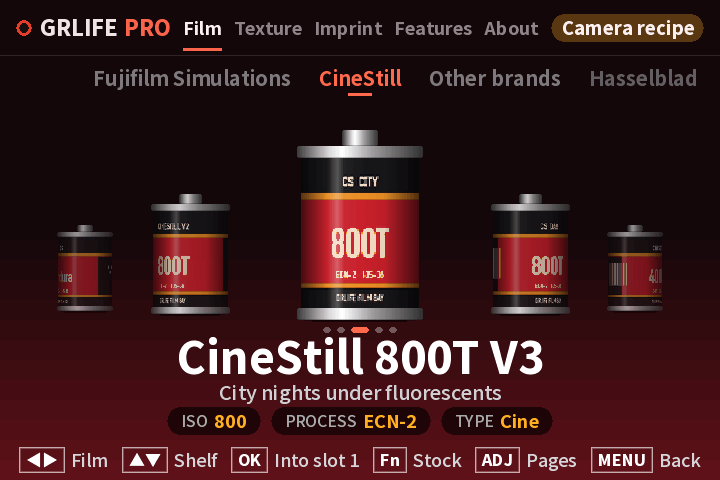
 CineStill 800T V3
Before: CineStill 800T City
 Kodak Vision3 250D 5207 V2
Before: Kodak Vision3 250D Original
 GRLife Duotone Red
Before: Red Black
GR IV: burst and RAW + JPEG shots keep their film record
On the GR IV, burst and RAW + JPEG shots used to lose their film record and showed no film icon in playback. Single, burst and RAW + JPEG shots now all carry it.
How to update (GR III / IIIx / IV)
- Open the store’s GRLife Pro 2.x page, generate again and download the ZIP.
- Put the firmware file from the ZIP in the root of the card and flash it the usual way, then copy GRLPRO.GRP (App 2.5.4) from the ZIP’s GRLIFE folder into the GRLIFE folder on the card, replacing the old one. Keep the FILMS.GRF already on the card; don’t overwrite it with the ZIP’s copy, which holds only the five built-in films.
- Turn the camera on with the card in and press OK to open GRLife Pro: About should show v2.5.4.
Only photos taken after the update carry the record; earlier photos are not changed. If you are on v1.4x firmware, nothing changes this time, and the short names in the film library file stay as they are.
Known limits
- On the GR IV this version does not write the record to RAW files; JPEG files carry it.
- Only the film and recipe names are recorded; effects such as grain, halation, light leaks and frames are not.
- A recipe is recognised by its Image Control and nine settings: if you set one of the camera’s own Image Controls to exactly the values of a recipe by hand, the photo gets that recipe’s name too.
Good to know
- For GRLife Pro 2.x firmware on the GR III 2.10 / 2.20 / 2.21, GR IIIx 1.60 / 1.70 / 1.71 and GR IV 1.20 / 1.21.
- Confirmed on a GR IV 1.21 and a GR IIIx 1.71. The other cameras and firmware versions were checked offline, not on a camera.
- Installing unofficial firmware carries risk: keep the stock firmware so you can go back.
The film library is unchanged: still 97 films. The five built-in films are free; the GRLife Pro Film Collection, once you have it, covers all 97 films in the library and every film added later. This update is for everyone, nothing to get.
Open the GRLife Pro 2.x page See the Film Collection
This post was first sent by email to GRLife users. To get the next one, sign in and turn on email notifications in Account settings.