
GRLife Pro 2.x now supports the GR IV (Beta)
On a GR III / IIIx? There is no new version this time; nothing to do.
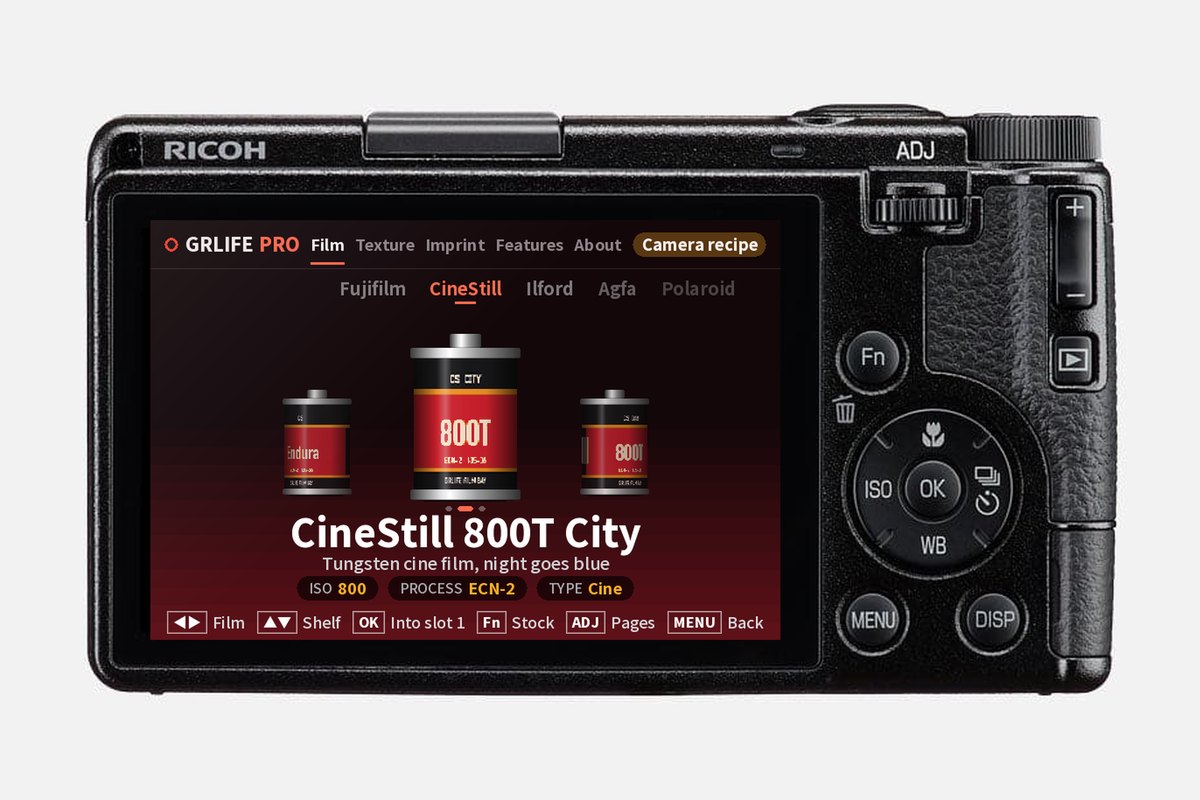
The GR IV Standard and HDF (stock firmware 1.20) can now get GRLife Pro 2.x from the firmware page. As on the GR III / IIIx, press OK while shooting to open the in-camera interface: picking films, setting texture and switching features all happen on the camera. The GR IV version is a Beta; below is what it has and what it doesn’t yet.
What the GR IV gets
- Film library: Five built-in films you can swap on the camera at any time; the other library films and My films work too.
- Film texture: Film grain, HDF diffusion, film softness and light leaks, set per film.
- More aspect ratios: Beside the stock 3:2, 4:3, 16:9 and 1:1: 65:24, 5:4 and 7:6.
- Half frame, guides, ADJ: Half frame shooting and golden ratio guides; ADJ grows to nine settings, with GRLife Pro’s functions in settings 6–9.
- Imprint and shutdown screen: Date imprint and a custom caption, plus shutdown screens you switch in the menu.
Not in the Beta yet
- Films apply to photos only: RAW development and movies use the stock looks for now; that will open once it is stable.
- No HDR photo, slider level or rear dial ISO, and no recipes.
- The GR IV Monochrome is not supported yet. The HDF shares the Standard’s official firmware; camera testing was done on a Standard body.
How to start
- Download the GR IV 1.20 firmware (fwdc248b.bin) from Ricoh’s website.
- Open the firmware page, choose GR IV and your body version, import the official firmware, then generate and download the ZIP.
- Flash the firmware as the chart on the page shows, then copy the ZIP’s GRLIFE folder to the root of the SD card.
- Turn the camera on with the card in and wait about 15 seconds while it copies the app and the film library; then press OK while shooting to open GRLife Pro.
While the camera has no film library of its own yet, start it once with the card in; after that it works without the card too. If anything goes wrong during the Beta, just reply to this email and we’ll fix it as soon as we can.
This post was first sent by email to GRLife users. To get the next one, sign in and turn on email notifications in Account settings.