
Put SpektraLab film looks on your Ricoh GR
SpektraLab and its upstream project spektrafilm simulate film and print stock from the physical process, and their looks are popular. With GRLife “My films” you can turn those colours into a film on your GR III / GR IIIx, so the look is there when you shoot, with no trip back to the computer.
What makes it into the camera
What goes into the camera is colour: the tones, contrast, colour shifts and highlight and shadow behaviour of the film and print stock pairing. Effects that vary across the frame, such as grain, halation and coupler diffusion, cannot become a LUT; when you shoot, you can add grain, HDF diffusion and film softness separately in the camera’s GRLife Pro menu.
Method 1: export a .cube LUT
spektrafilm can export a film and print stock pairing as a LUT. Export one LUT with sRGB as both input and output. After upload, “My films” recognises the film and print stock and names it for you, for example Portra 400 · 2383.
spektrafilm_…_1lut_srgb_srgb.cube
LUTs whose input or output is Log, Rec.2020 or a similar colour space will not work: camera films act on ordinary sRGB photos. The page asks you to export again when it meets such a file.
Method 2: use the colour chart
The SpektraLab app exports images, not LUTs. In that case use the GRLife colour chart: let SpektraLab process the chart, then upload the result.
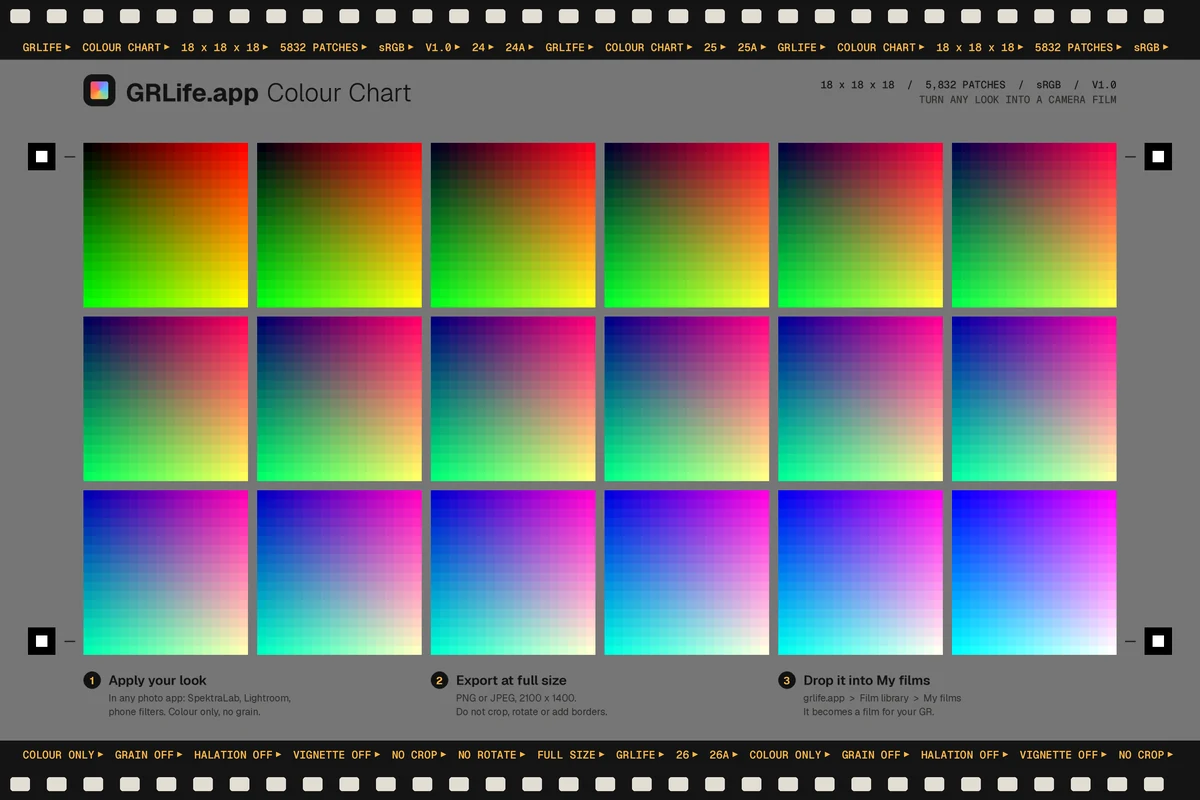
Download the chart
On the “My films” page, click “Download the GRLife chart” and unzip it to get the chart PNG and instructions.
Open it in SpektraLab
Open the chart PNG directly in SpektraLab, choose the film and print stock, and set the enlarger filtration and post-development adjustments the way you like.
Keep colour only
Under Film Format, turn off Grain, Halation and Glare; under Input / Camera, set Metering to Custom (auto metering off) and keep Film Exposure at +0. Leave Film Edge and Date Back off.
Export and upload
Choose File → Export, pick “PNG 8-bit — sRGB” (the default “JPEG — Display P3” works too), keep Size at Original, then drop the exported image on “My films”.
FAQ
How is GRLife related to SpektraLab?
There is no connection. GRLife is an independent tool that can read LUTs exported from SpektraLab / spektrafilm and charts processed with them. SpektraLab is a trademark of its owner; spektrafilm is an open-source project by Andrea Volpato.
Why turn off grain and halation?
The chart is converted into a film from the colour of each patch. Grain mottles the patches and halation makes neighbouring patches bleed into each other. Add grain in the camera with GRLife Pro when you shoot instead: it looks more natural and you can change it any time.
Why set Metering to Custom?
By default SpektraLab meters every image on its own. The chart and your photos differ in brightness, so auto metering exposes them differently and the film comes out too bright or too dark. In our test with metering off, the chart-made look applied to a photo was on average only about 9 levels (out of 255) away from SpektraLab processing the same photo directly; most of the rest comes from local effects such as coupler diffusion.
Can the camera do spectral calculations like SpektraLab?
No. The camera runs a colour matrix, tone curves and 12 hue sectors. The page converts SpektraLab’s result into the closest set of parameters, which looks very close on everyday photos; extreme colours differ, and the page shows how close it is.
Which camera and firmware do I need?
A GR III / GR IIIx flashed with GRLife Pro custom firmware built after 18 October 2026, with a GRLife film pack opened for that camera. Making films and saving them to your account is free.
Can I share my films with others?
Films are kept in your account and go only into your own camera when you download the film library. To share, send your SpektraLab settings or the LUT to friends so they can make their own.
Read next
For the full steps to adjust, name, save and put films in the camera, see the “My films” guide.