
Shoot the two-colour poster look on your GR
The best thing about keychain toy cameras is their two-colour filters: the picture keeps only black and one colour, and any street looks like a printed poster. The four Duotone films in the GRLife film library do exactly that: shadows go pure black, the brighter tones print in red, yellow, blue or a warm off-white. You see it on the screen while you shoot, with no editing afterwards.
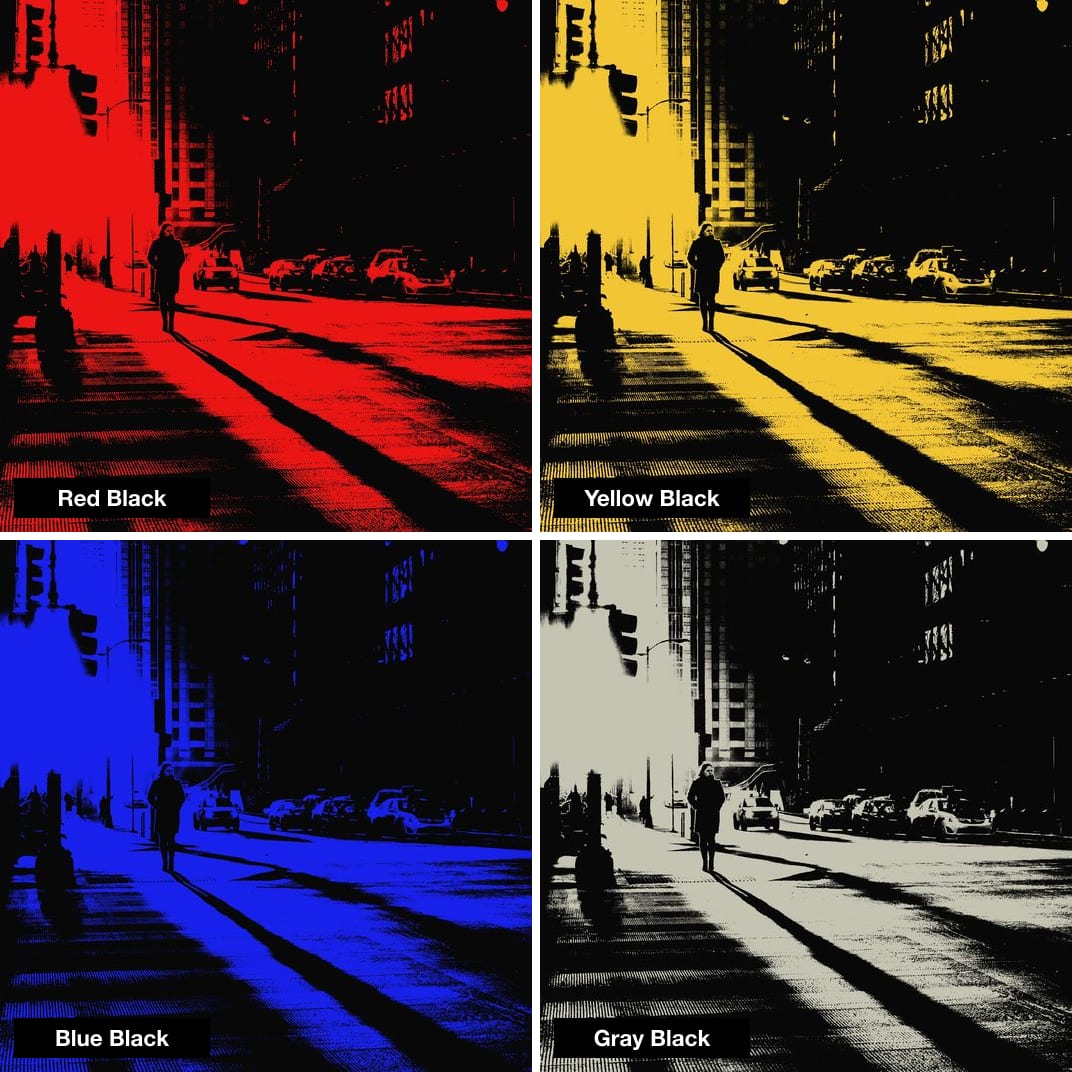
What each one is good for
 Red Black
Backlit portraits, sunset silhouettes
 Yellow Black
Plants, window light, shadows on a wall
 Blue Black
Branches, road signs and buildings against the sky
 Gray Black
Like a black-and-white print on old paper
Three tips
- Look for hard light
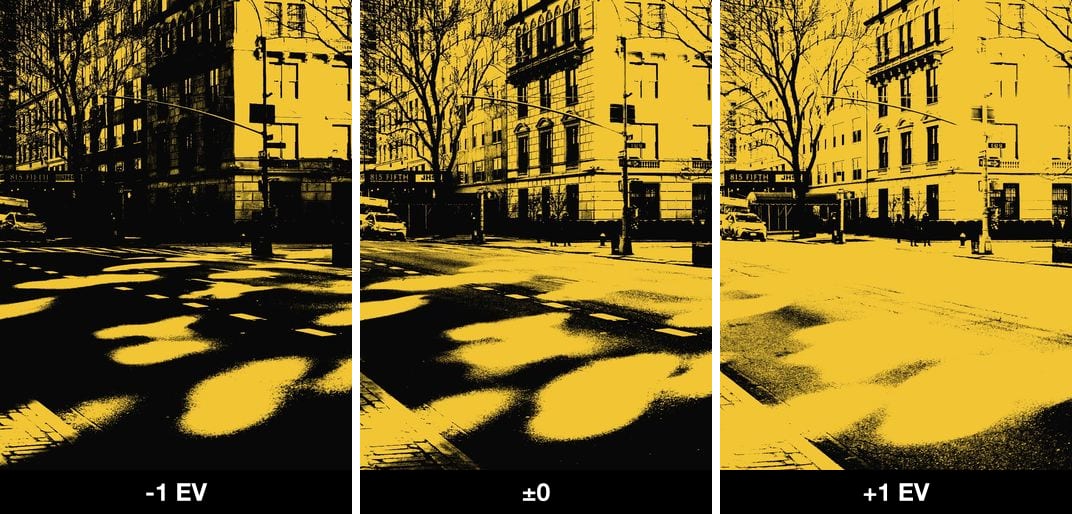
Sunshine, backlight, window light and shadows on a wall work best. On grey days the contrast is low and the frame tends to go all black or all colour. - Exposure compensation sets the black
Dial down for more black, keeping only the brightest light; dial up for more colour and thinner shadows. You see the change on the screen as you turn the dial. - Press OK, change colour with ◀▶
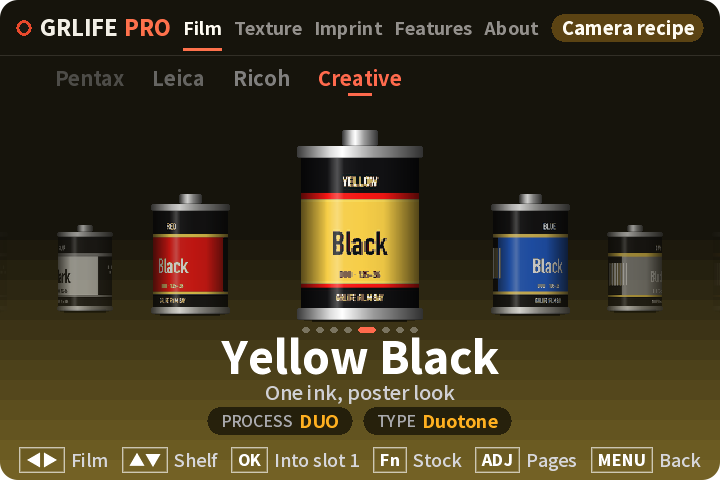
GRLife Pro 2.0: press OK on the shooting screen to open the film page; the four are in the Creative group. Switch with left/right and press OK to go back to shooting. On v1.4x, load them into film bay positions and switch in ADJ.
If you own the GRLife Pro Film Collection, all four are already yours. If they are not in your camera yet, download the film library again and copy it to the GRLIFE folder on your memory card.
The pictures are computed with the camera’s film model, not camera shots. Inspired by the two-colour looks of keychain toy cameras; GRLife is not affiliated with any of their brands.
This post was first sent by email to GRLife users. To get the next one, sign in and turn on email notifications in Account settings.